
How to get the database credentials of the staging site?
Step 1 of 2
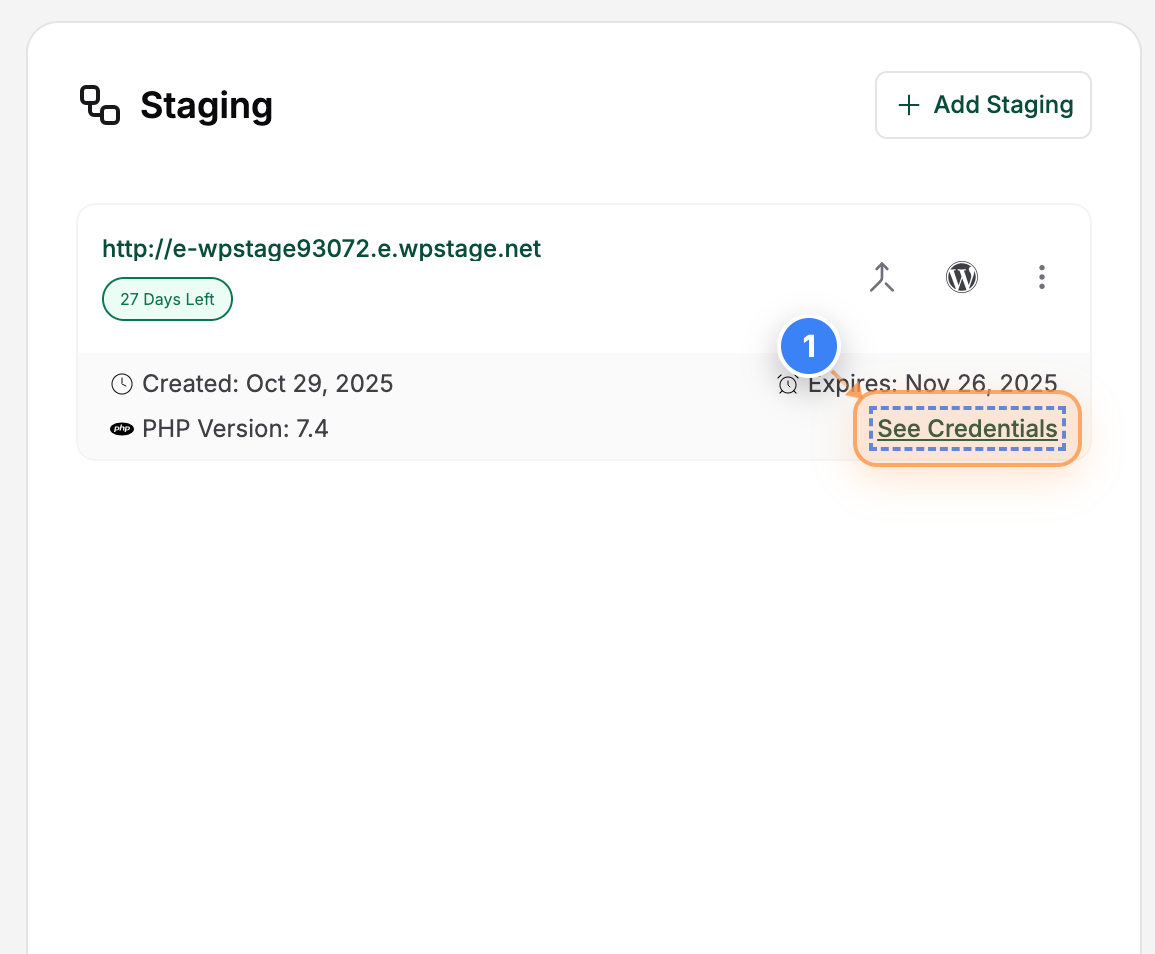
View Site Credentials
Click the "See Credentials" button in the site details section to view the login information and connection credentials for your staging site.
Note: Use these credentials to access your staging site securely via SFTP.
Step 2 of 2
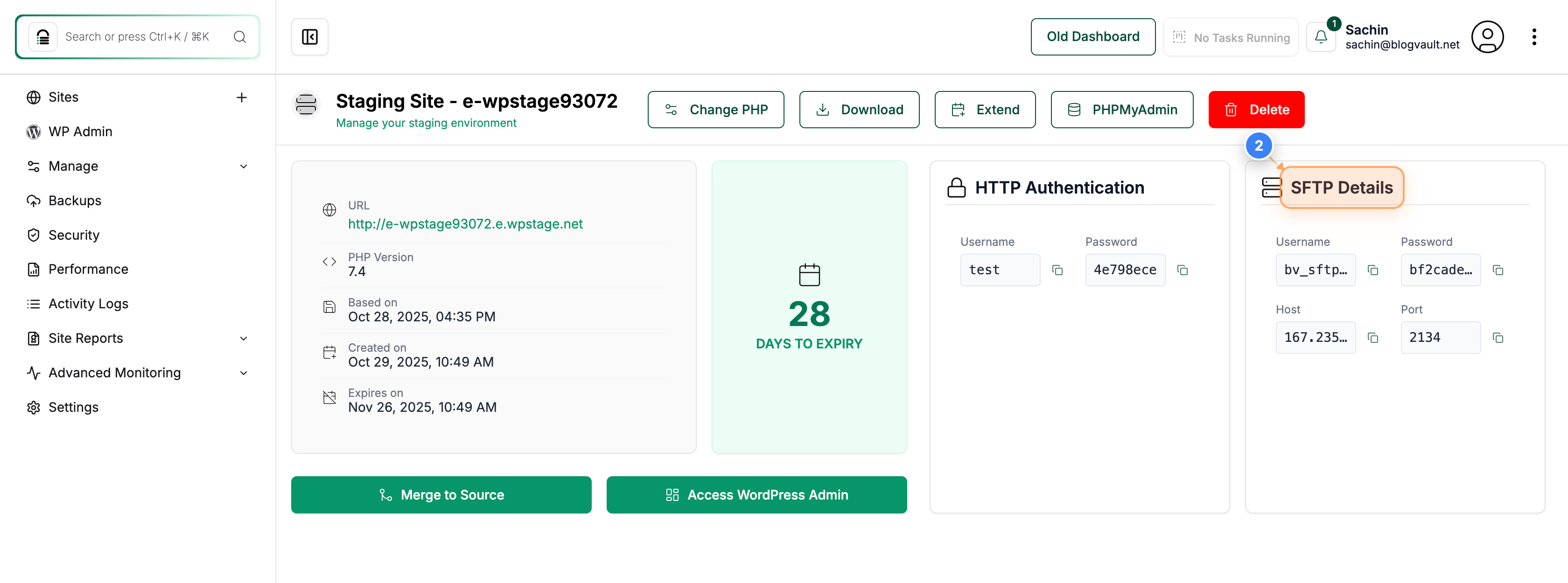
Access SFTP Connection Details
View the "SFTP Details" option in the top-right area to open the section containing your SFTP host, username, and port information for connecting to the staging site.
Note: You can use these details in an FTP client like FileZilla to upload or modify files on your staging environment.
A) Locate and open the wp-config.php file (which will be inside the "/site" folder) associated with the staging site.
B) You will find the Database Credentials of your Staging site there.
That's it.