How Do I Access the Staging Database Using phpMyAdmin?
Step 1 of 1
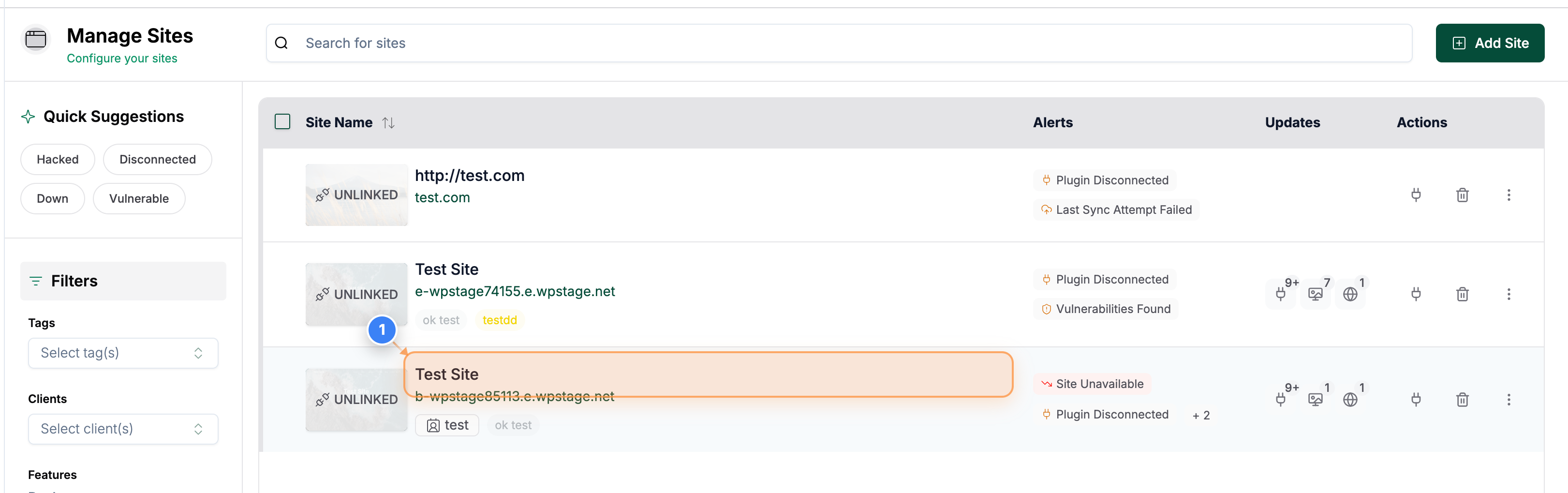
Open Site Details
Open the Site on the Dashboard & Go to the Staging site section of the site.
? Note: This takes you to the selected site's overview page, where you can access staging, backups, and security tools.
Step 2 of 1
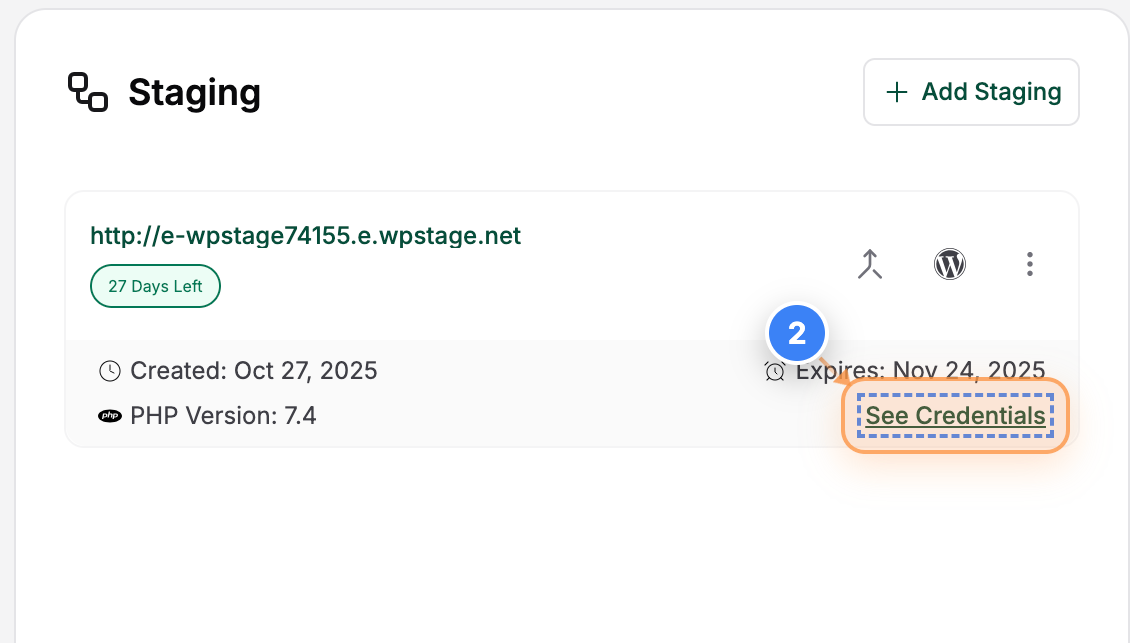
View Site Credentials
In the Staging section, click the 'See Credentials' button in the Site Details area to view login and access information for your site.
? Note: Use these credentials to log into your site's staging or live environment if needed.
Step 3 of 1
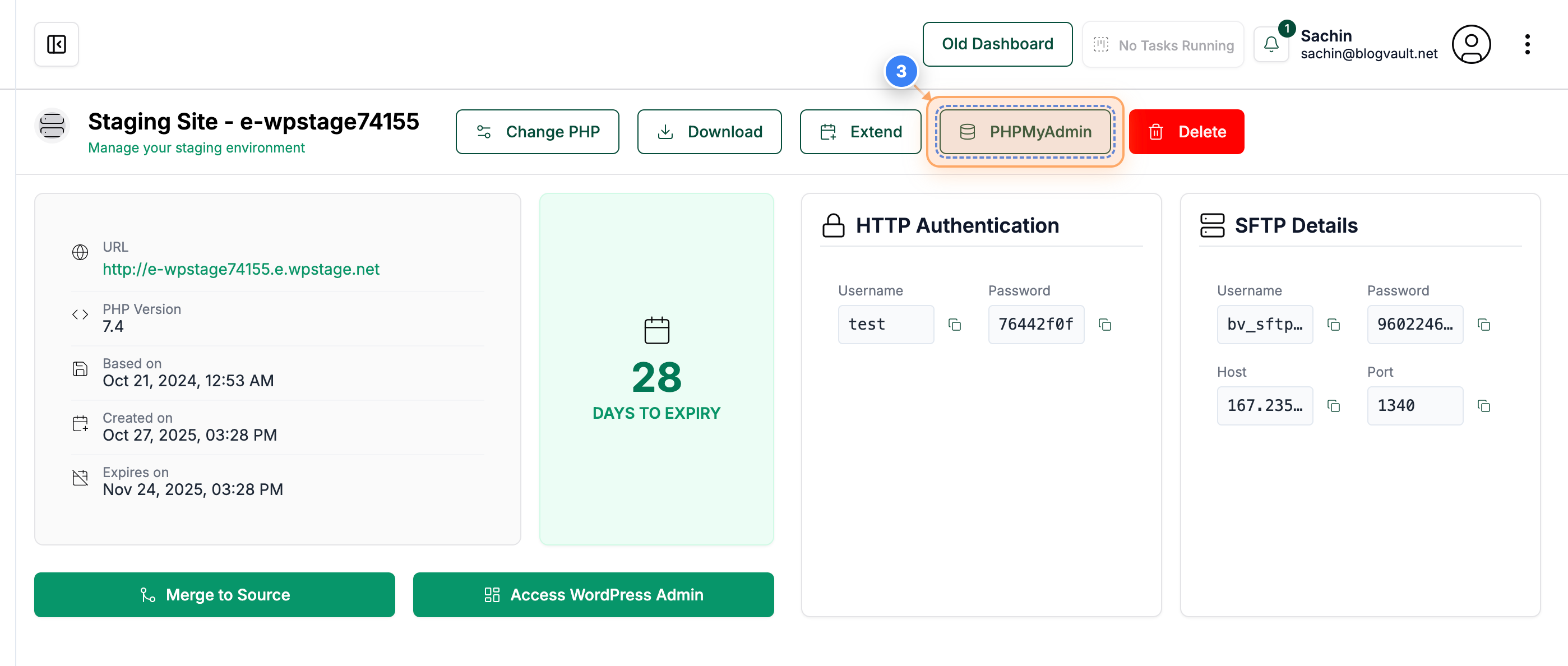
Access Database via PHPMyAdmin
Click the 'PHPMyAdmin' button in the top bar of the staging site page to open the database management interface.
? Note: This allows you to view and manage your site's database tables directly in PHPMyAdmin.