How can I access staging site using SFTP to see error logs & files?
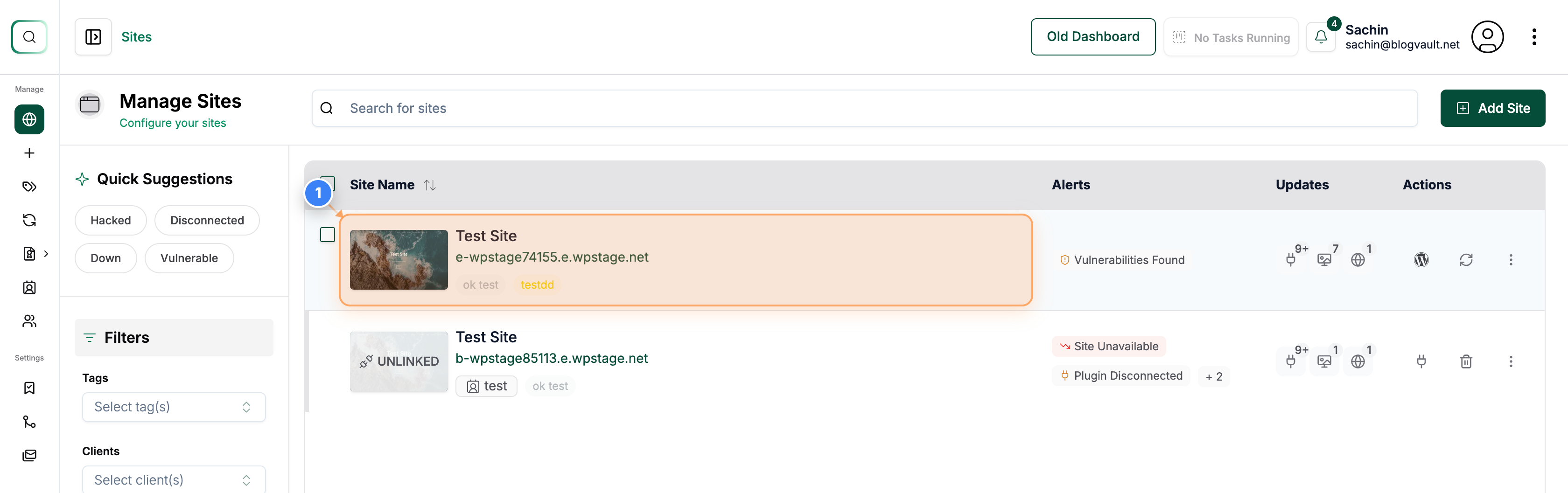
Step 1 of 4
Open Your Site Dashboard
Click on your site name in the Sites page to open the site management dashboard.
Note: You can identify your site by its domain listed below the site name.
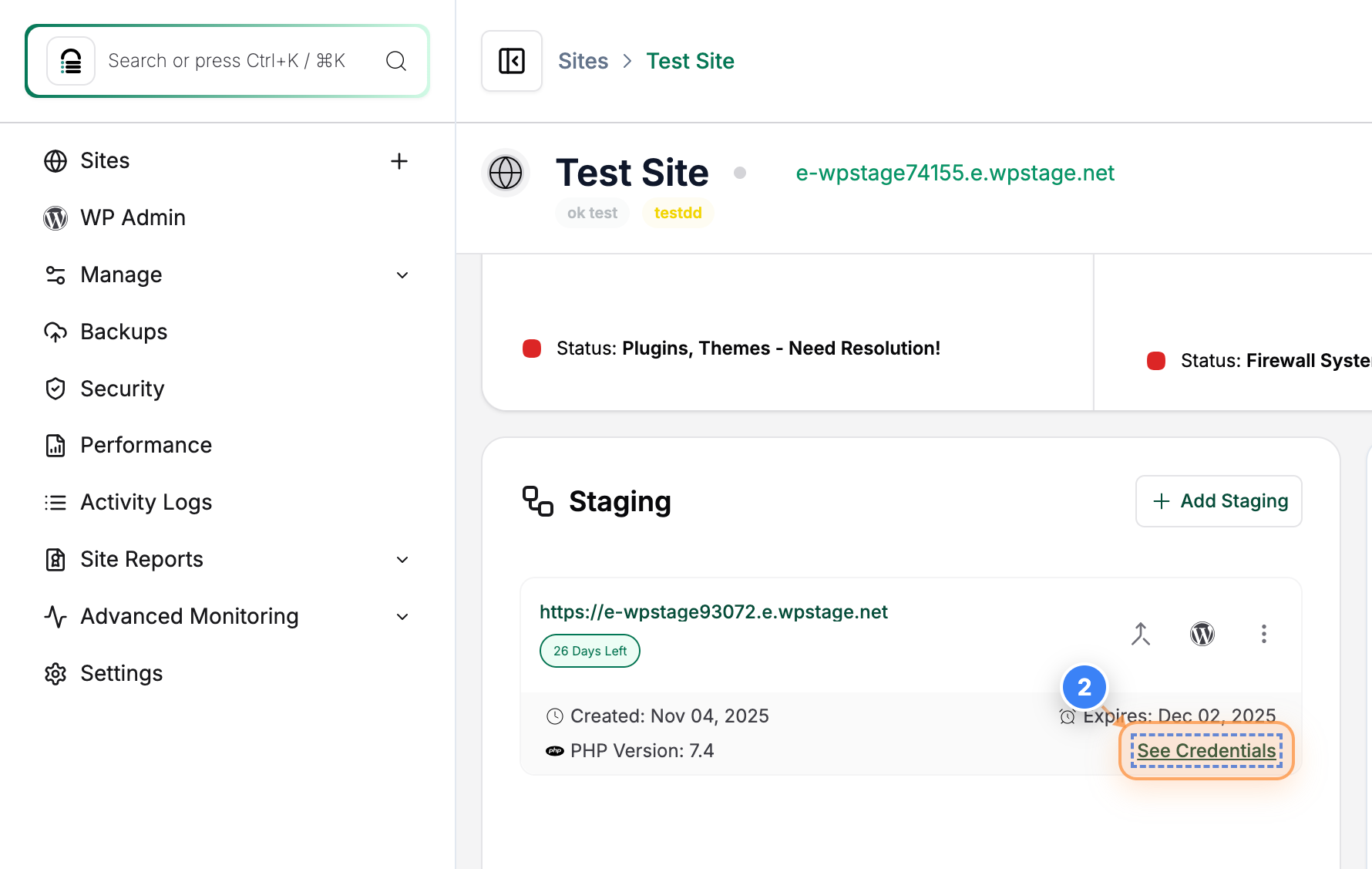
Step 2 of 4
View Staging Site Credentials
Click the See Credentials button in the Site Details section to access the site's login and connection details.
Note: This includes database, SFTP, and admin access information for your site.
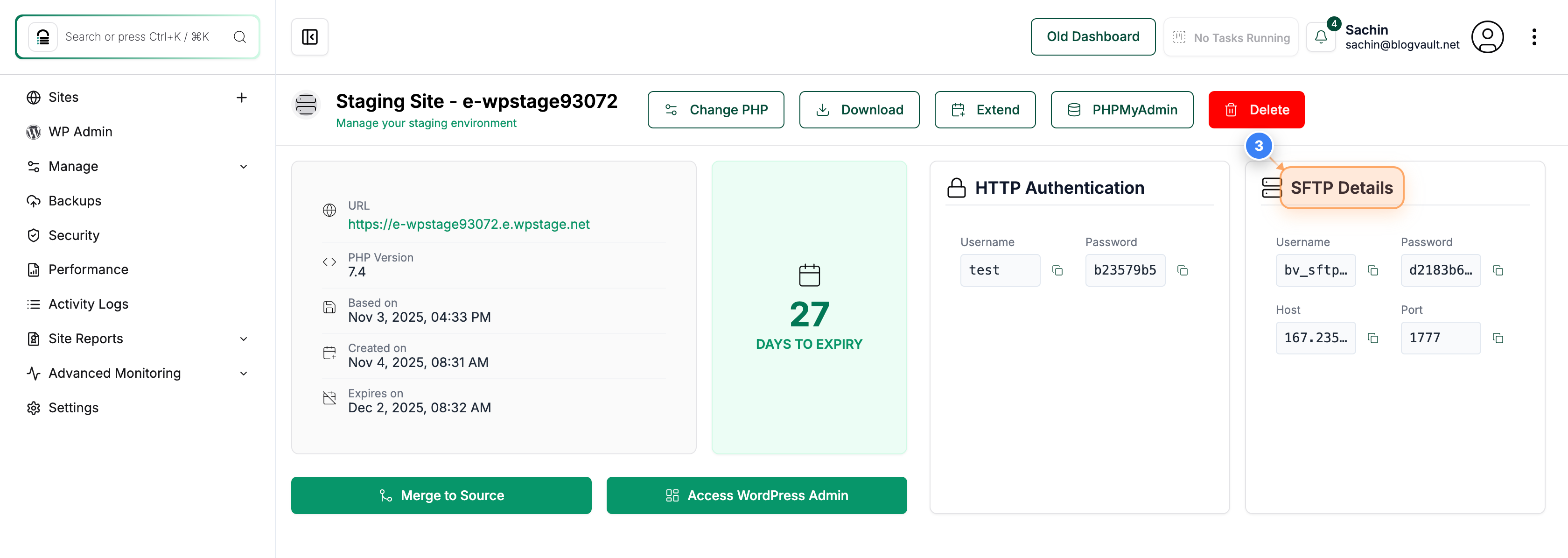
Step 3 of 4
Open SFTP Details
View the SFTP Details at the top-right area to view your site's file access credentials.
Note: Use these credentials to connect to your site's files using an SFTP client.
Step 4 of 4
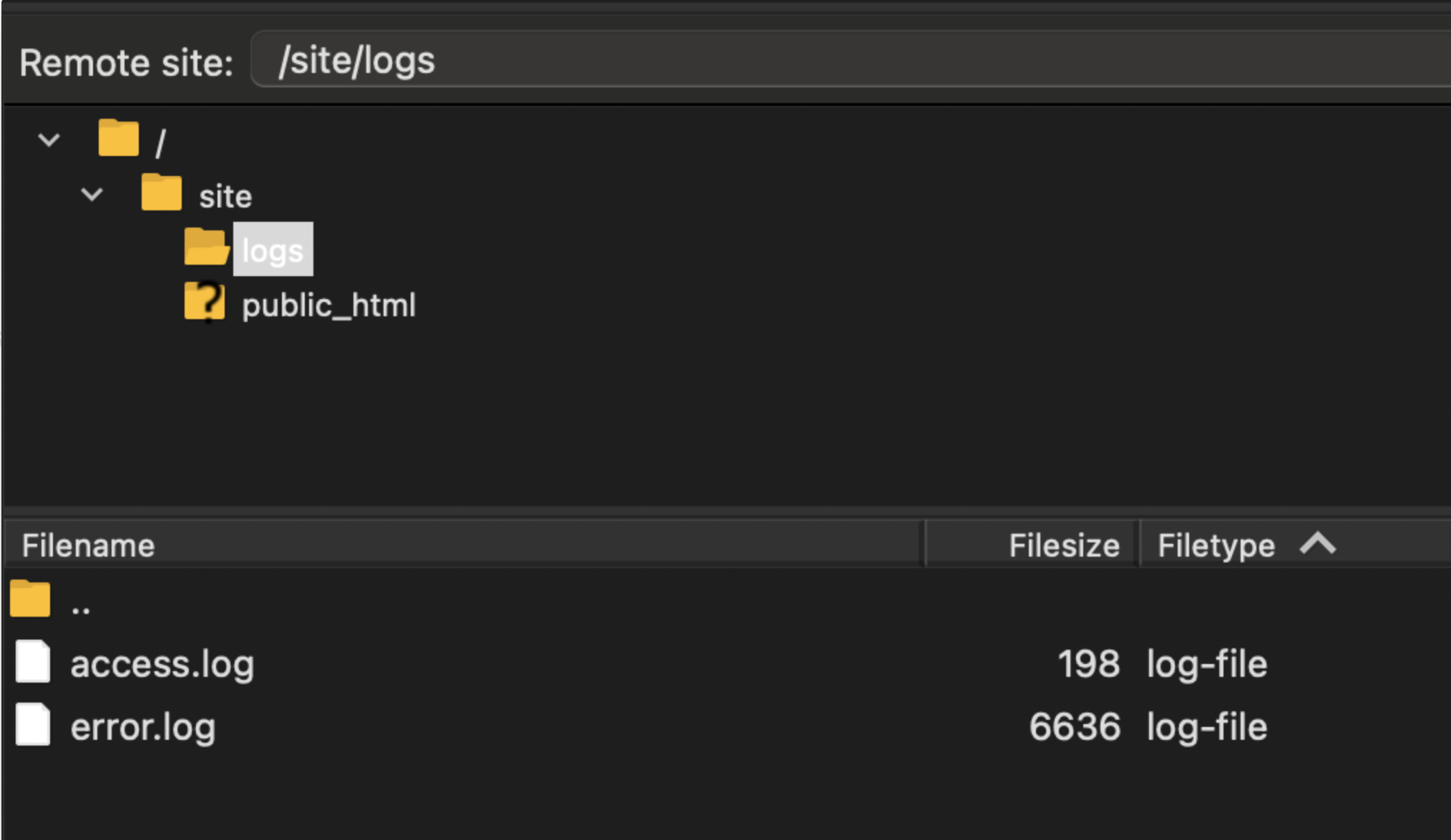
Access Site Logs via SFTP
Connect to your site using the provided SFTP credentials and navigate to the /site/logs folder to view log files for your staging site.
Note: These logs help you monitor site activity, errors, or performance issues.