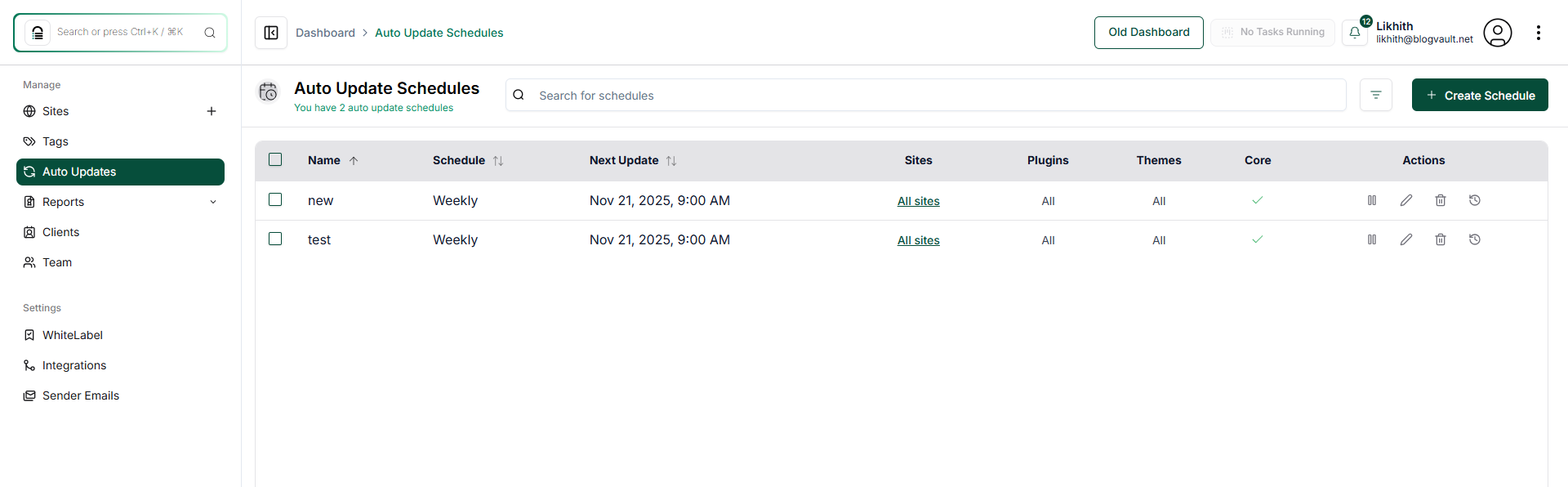
How Do I View the List of Scheduled Updates?
Step 1 of 3
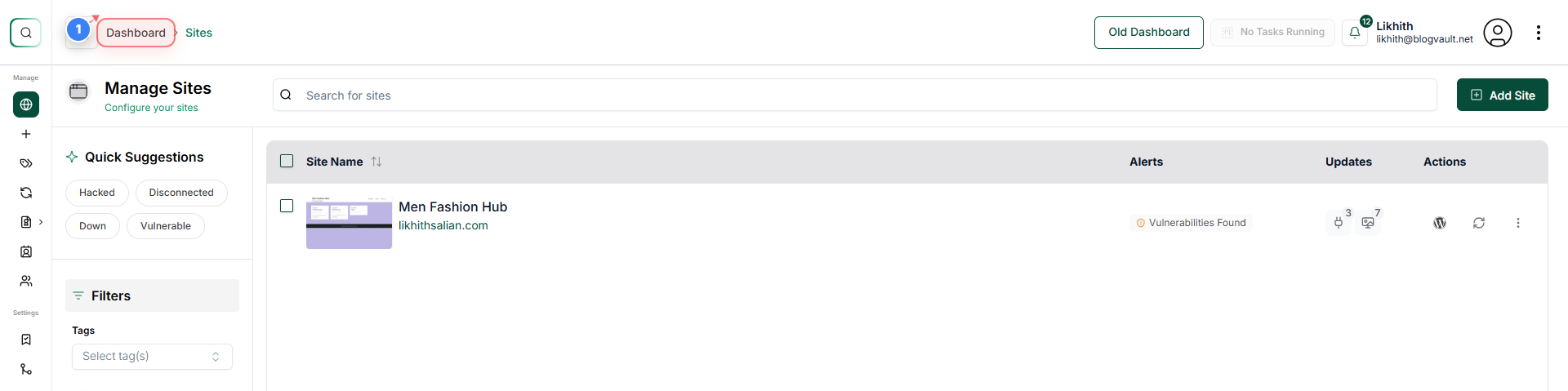
Access to the Dashboard
Click the Dashboard link in the top-left navigation to return to the main overview area.
Note: Use this when you want to switch back to the general overview of all site activity.
Step 2 of 3
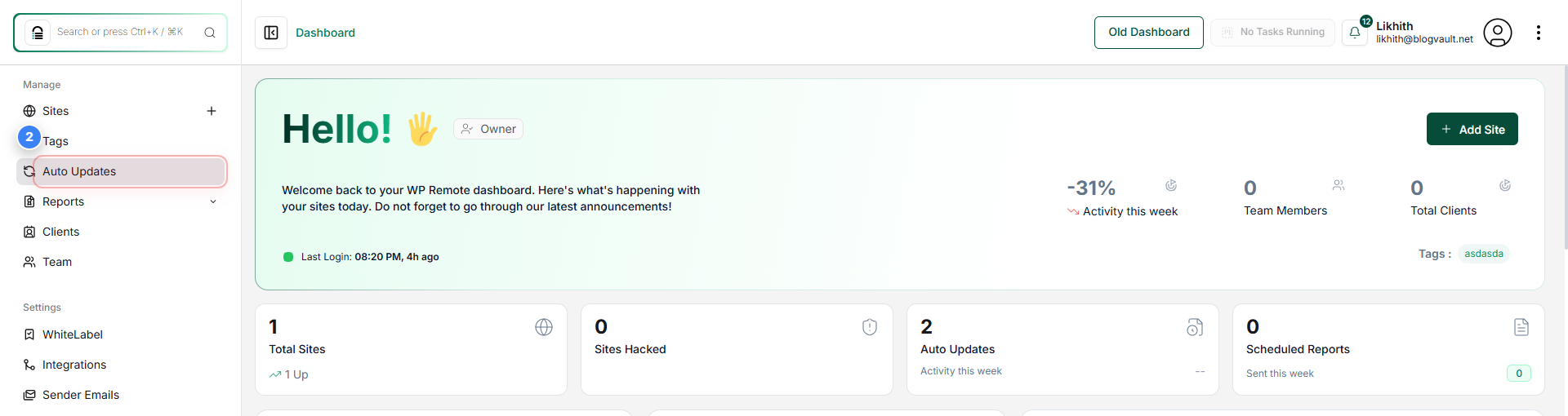
Open Auto Update Settings
Click the Auto Updates option in the left sidebar to access your site's automatic update schedules.
Note: This section lets you review or modify how plugins, themes, and core updates are managed.
Step 3 of 3
Review Auto Update Schedules
Review the Auto Update Schedules page to see a list of all active schedules, including their frequency, next update time, and the types of updates they manage.
Note: Check details such as schedule names, next run times, and whether plugins, themes, or WordPress core updates are included. Verify that schedules match your intended update policy.