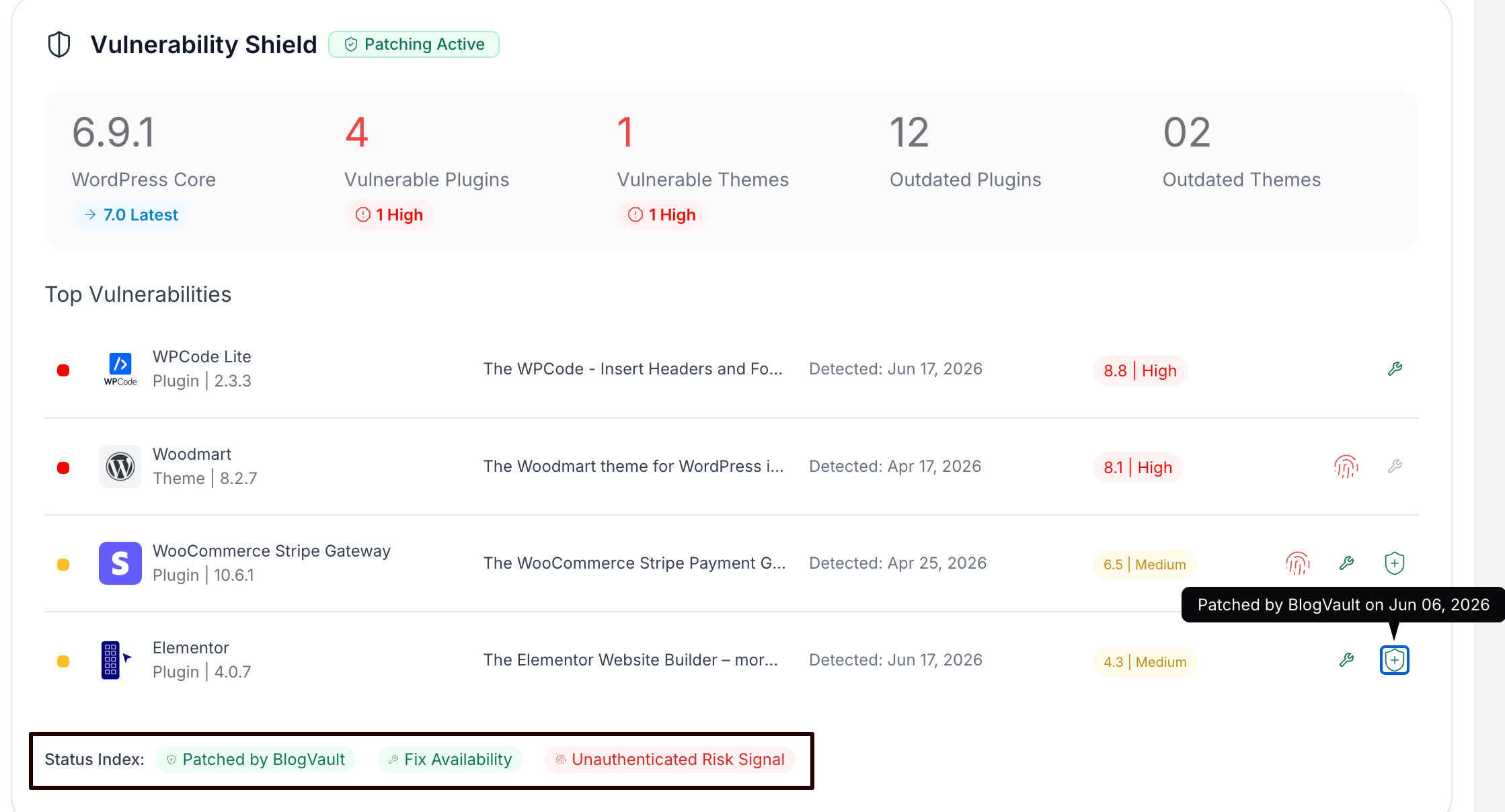
How to View Vulnerability Shield Details
Step 1 of 3
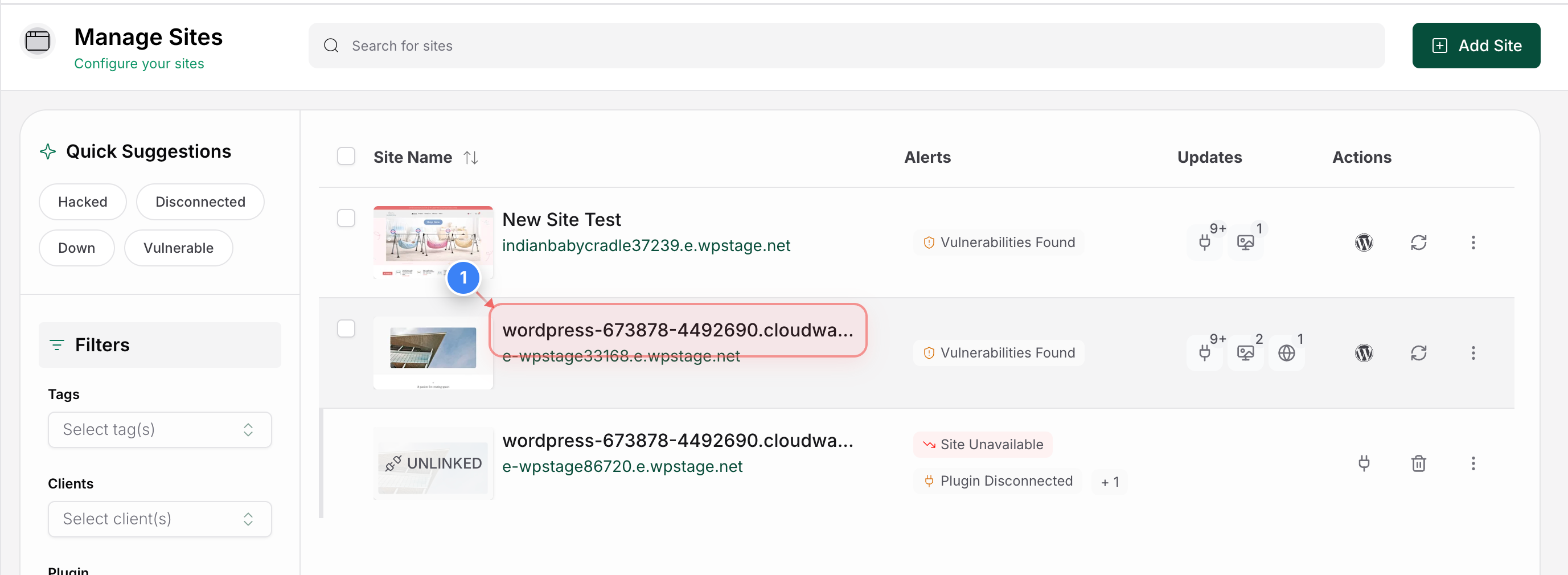
Open Site Details Page
Click on the site from the Site Listing page to open its management dashboard and view the Vulnerability Shield details for that site.
Step 2 of 3
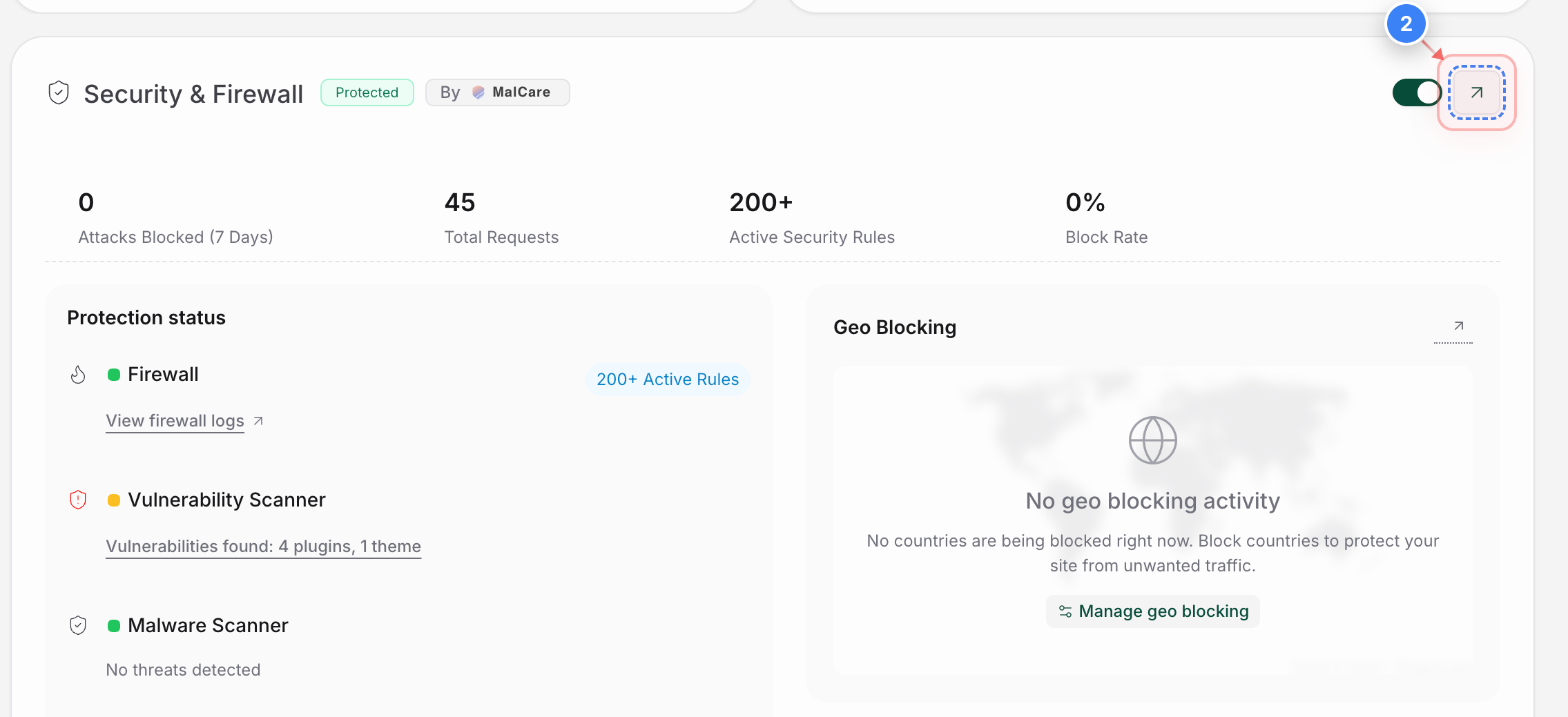
Open Security Details
Click the Security & Firewall section on the Site Details page to view your site's security protections and firewall details.
Step 3 of 3
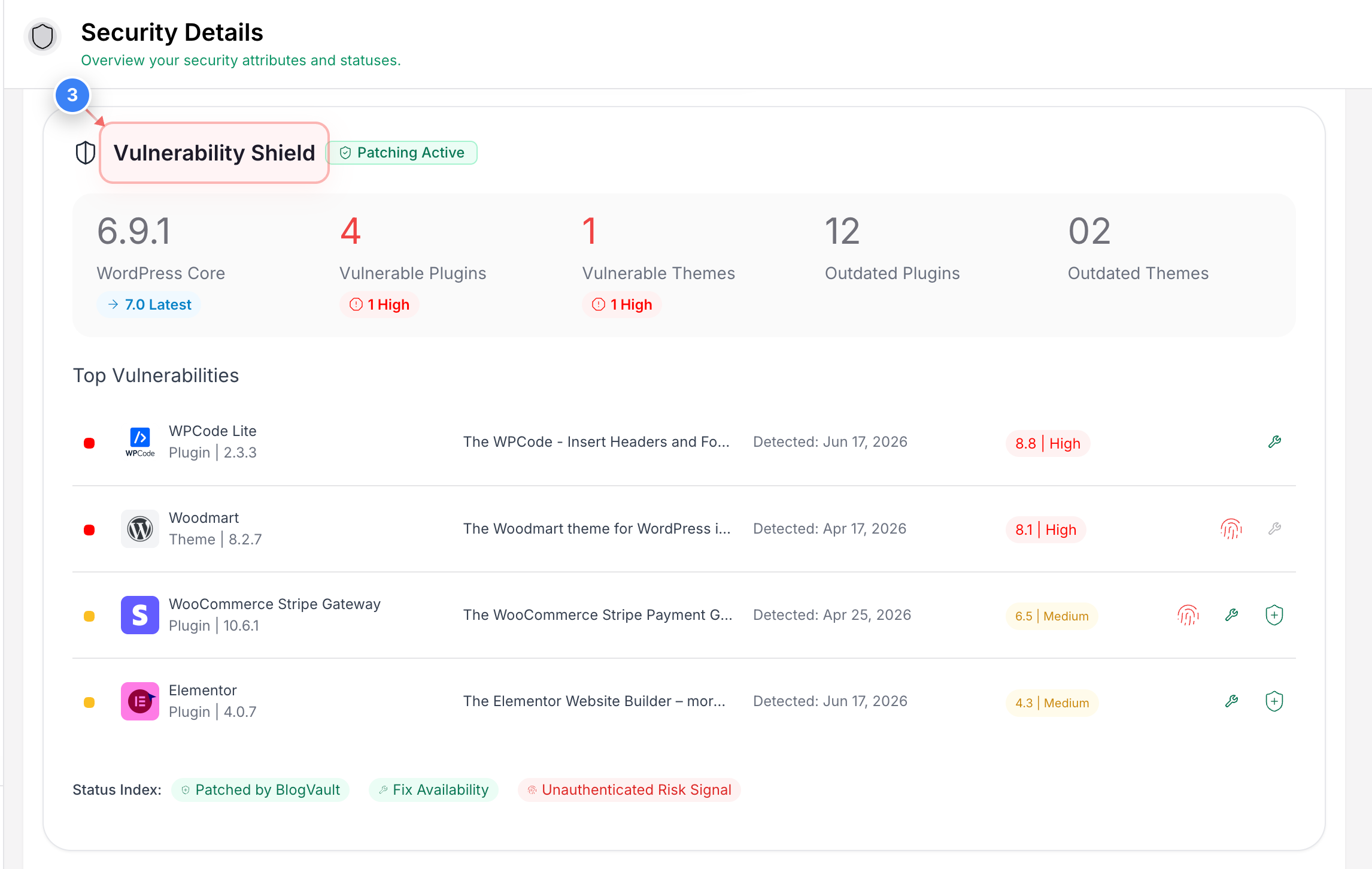
View Vulnerability Shield
Here you can review the Vulnerability Shield status for your site, including active vulnerability protection and any security patches currently being applied automatically.
Additional Note: You can see the Status Index: Patched by BlogVault, FixAvailability, and Unauthenticated Risk Signal to view the status there. Any vulnerabilities that have already been patched will have the patching status there.