How Do I Pause a Scheduled Report?
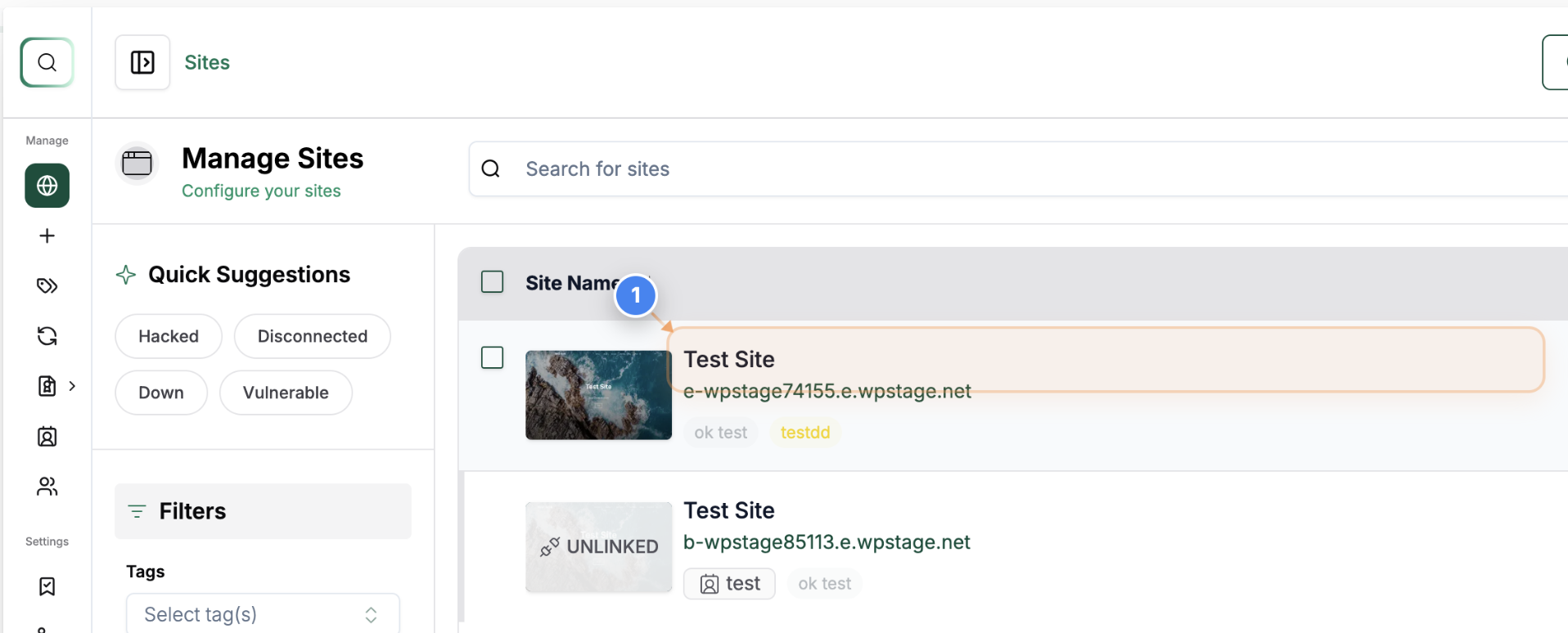
Step 1 of 6
Open Site Details
Select the site in the Sites Listing to open its management page.
Step 2 of 6
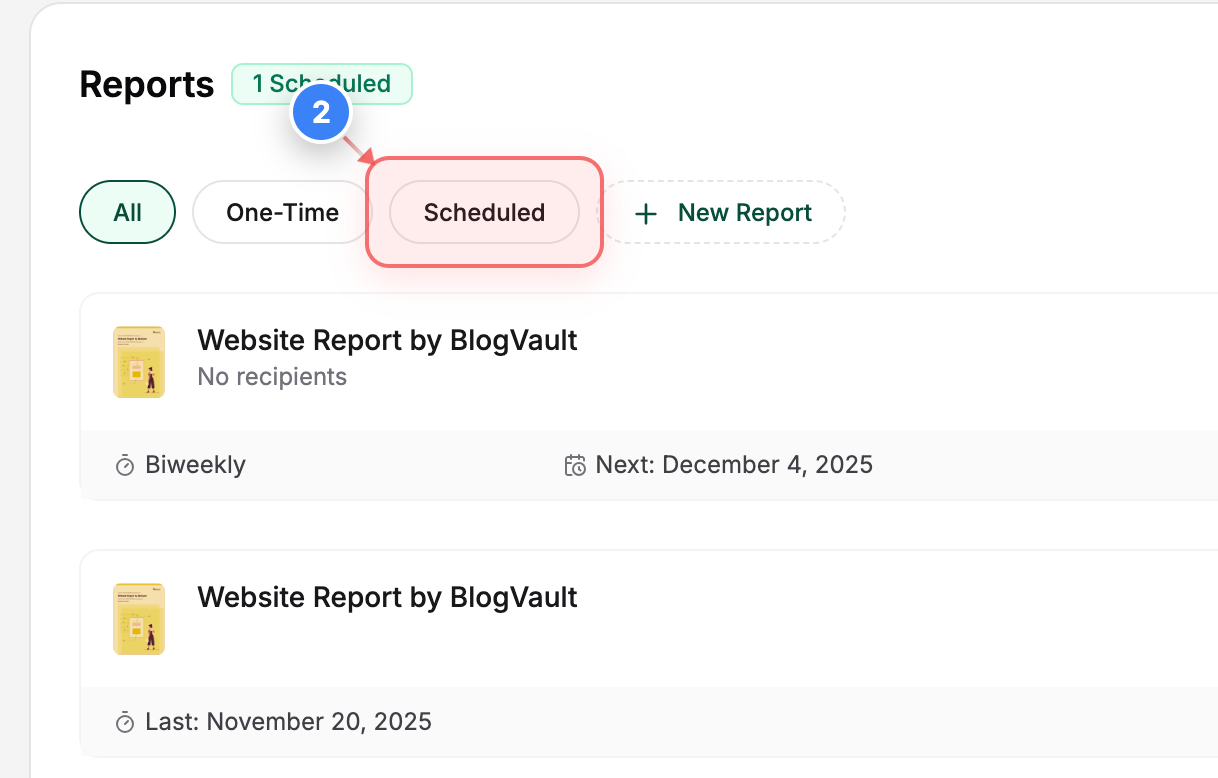
View Scheduled Reports
Click the Scheduled option in the Reports section to filter and view only scheduled reports for the site.
Step 3 of 6
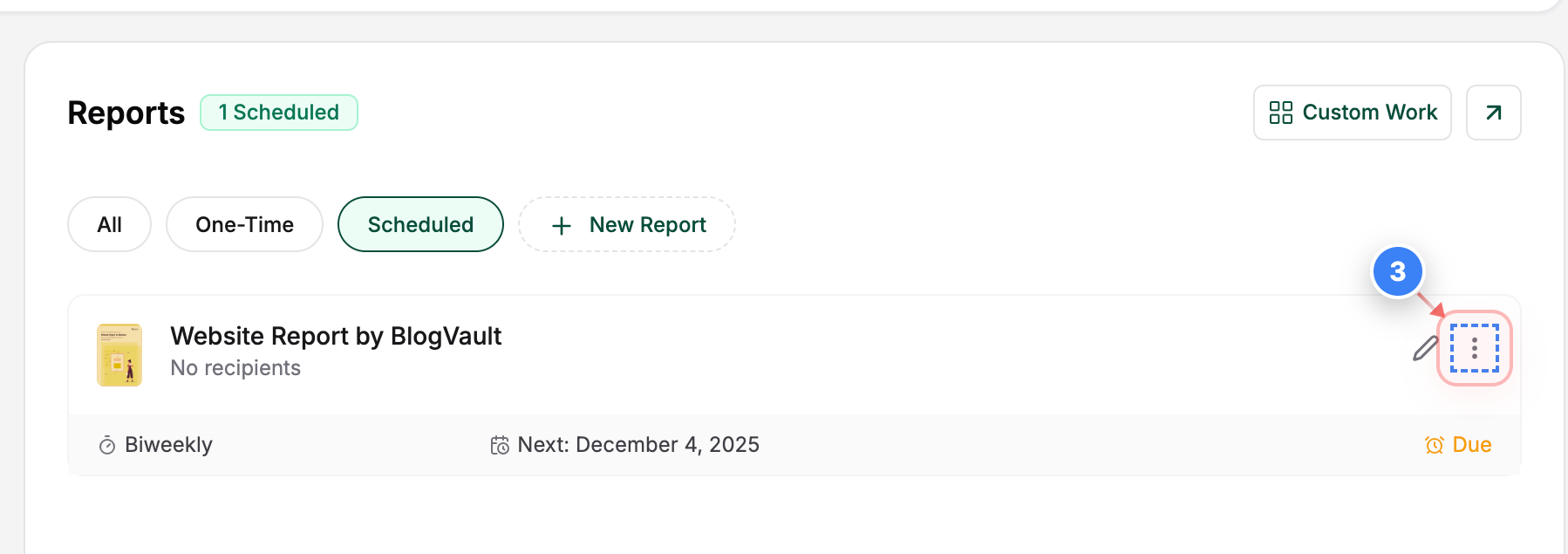
Open Report Options
Click the options button on the report card to open additional report settings.
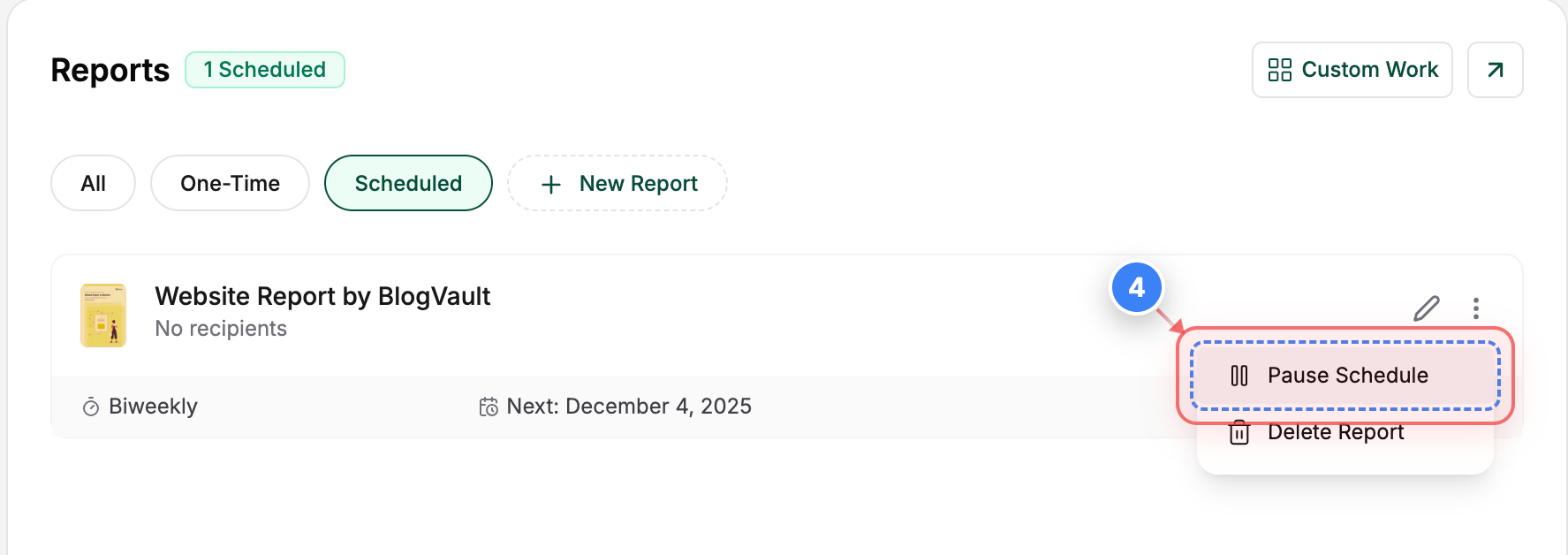
Step 4 of 6
Pause Schedule
Click the Pause Schedule option in the report actions menu to begin pausing the scheduled report.
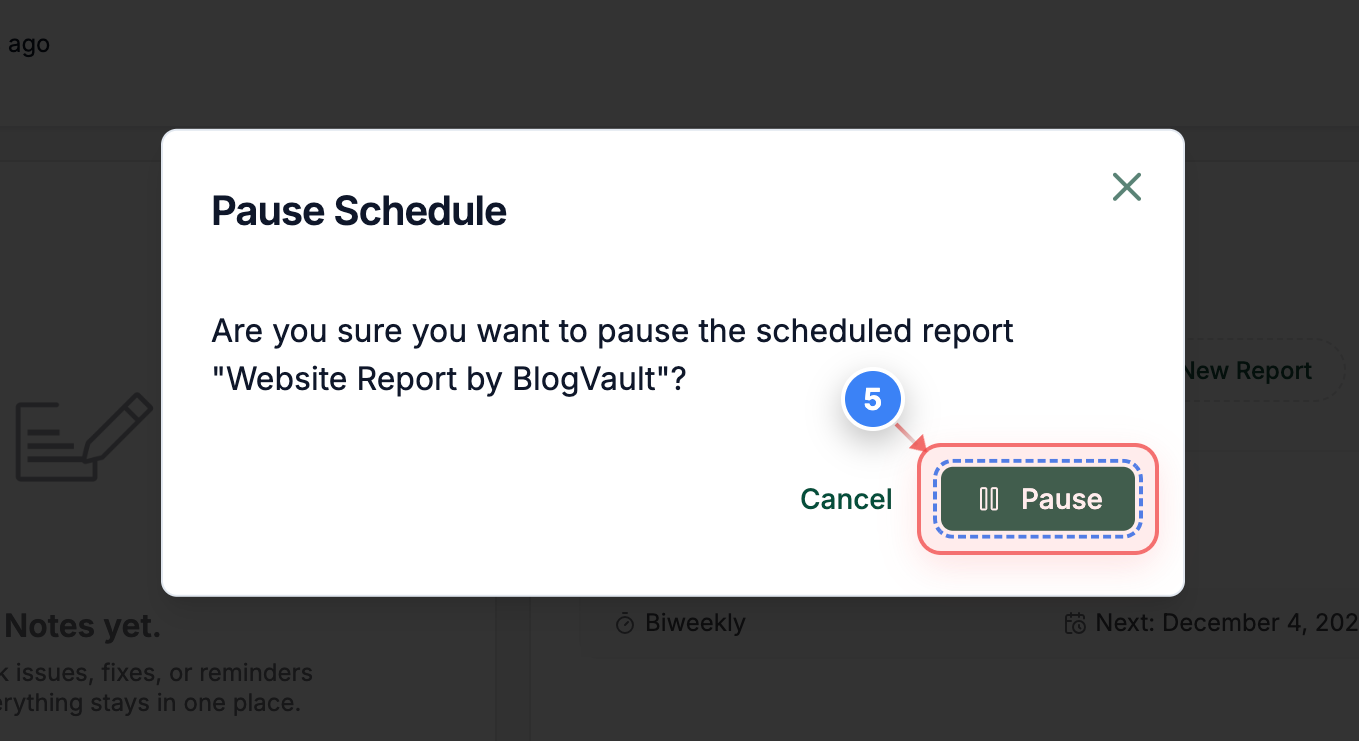
Step 5 of 6
Confirm Pause Action
Click the Pause button in the pop-up window to pause the scheduled report.
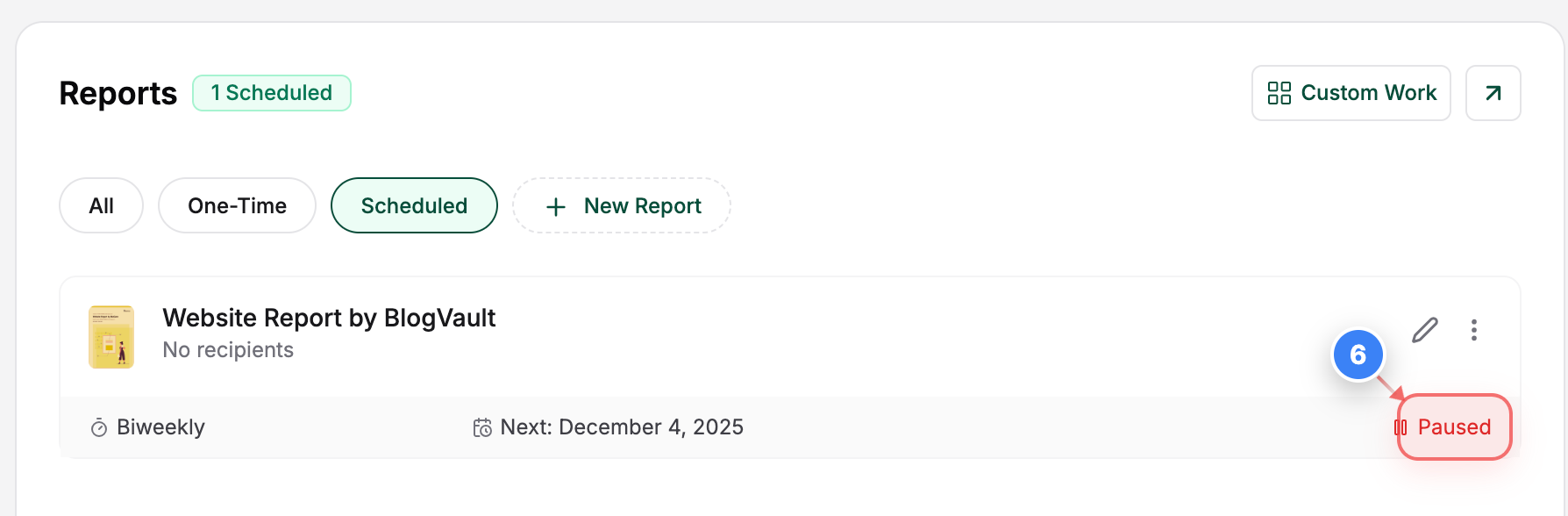
Step 6 of 6
Confirm Paused Report
View the Paused status on the report card to confirm the paused report action.