How to Enable/Disable Domain Monitoring
Step 1 of 7
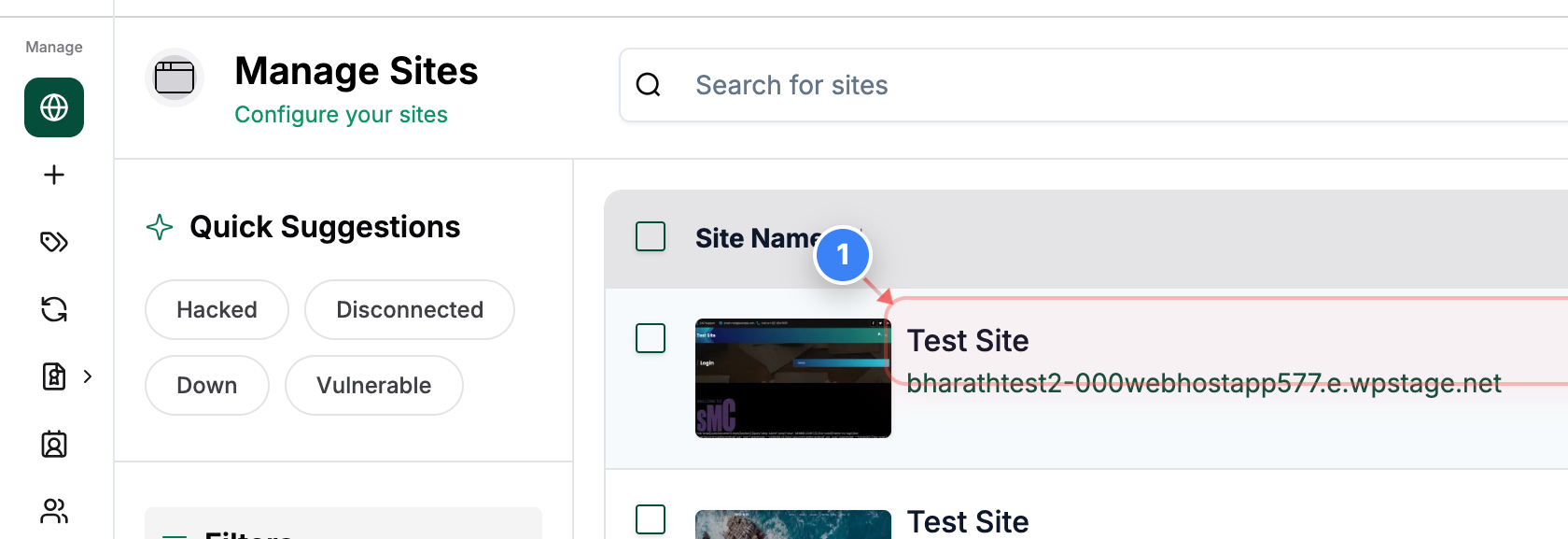
Open site management
Click on your site name in the Sites dashboard to open management options for that site.
Note: Make sure you select the correct site if you manage multiple sites.
Step 2 of 7
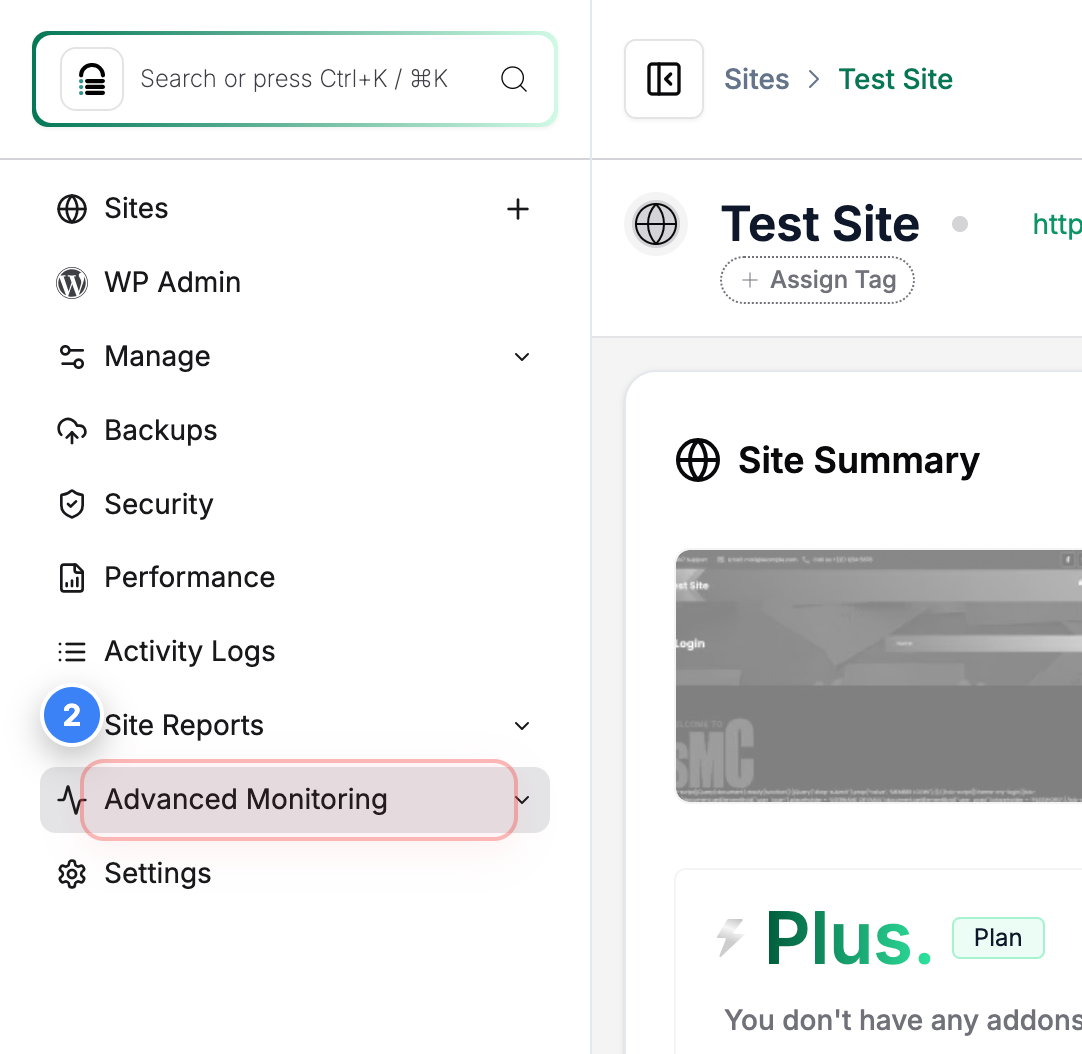
Open Advanced Monitoring
Click Advanced Monitoring in the left sidebar to access monitoring features for your site.
Step 3 of 7
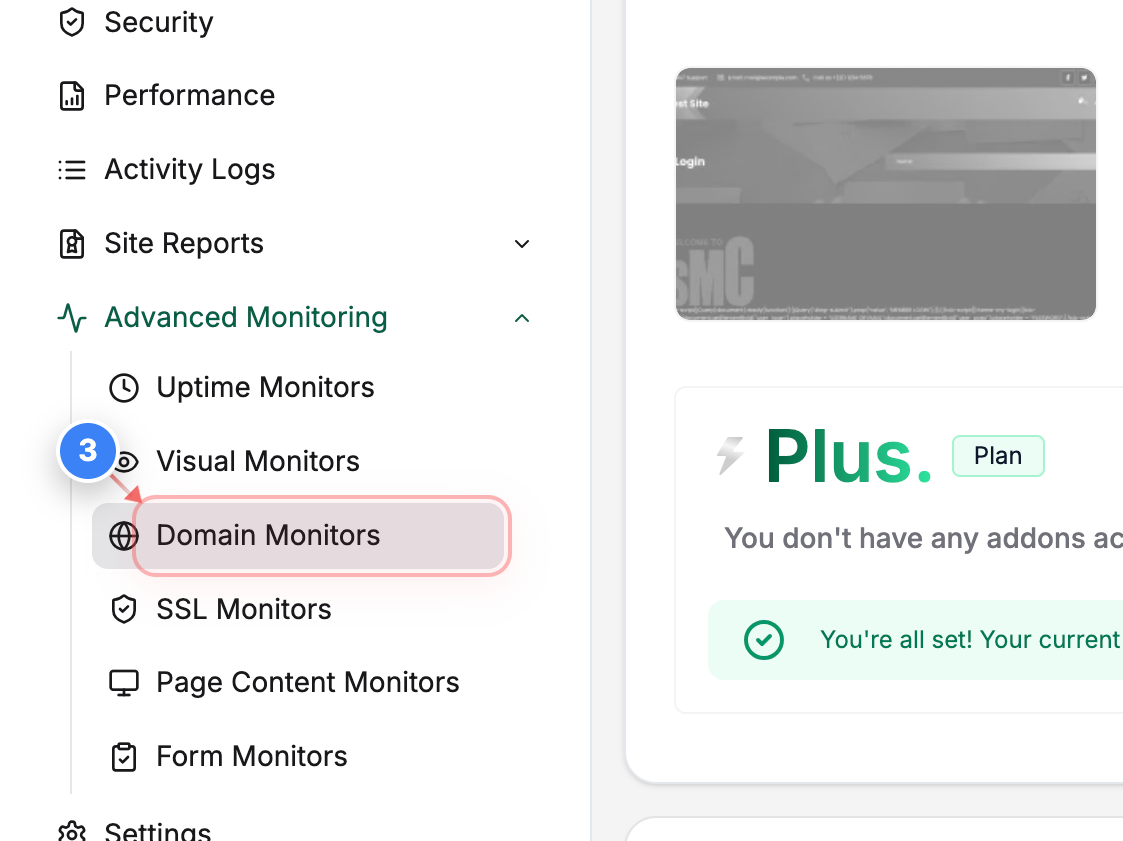
Go to Domain Monitors
Click Domain Monitors in the Advanced Monitoring section to manage domain monitoring status.
Step 4 of 7
Disable domain monitoring
Click the toggle in the Domain Monitors list on the right side to turn off domain monitoring for the selected domain.
Note: Turning this off stops active monitoring checks for the domain.

Step 5 of 7
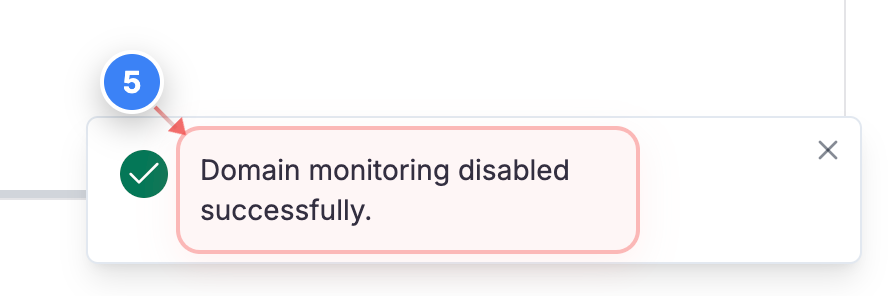
Confirm monitoring disabled
Review the confirmation message in the bottom-right corner to verify that domain monitoring has been disabled.
Step 6 of 7
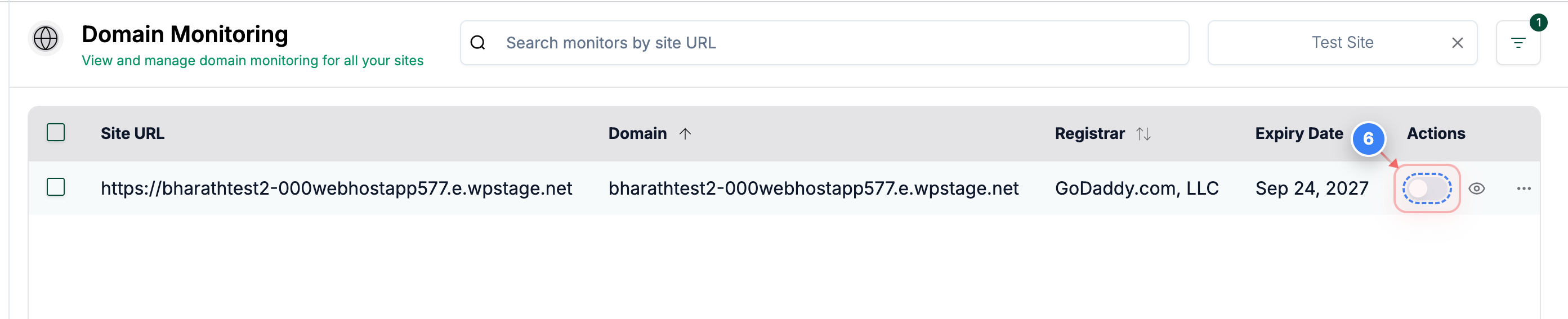
Enable domain monitoring
Click the same toggle in the Domain Monitors list to turn domain monitoring back on.
Note: Use this when you want monitoring checks to resume.
Step 7 of 7
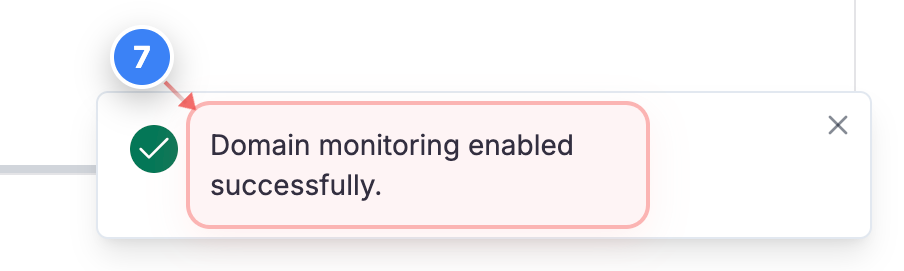
Confirm monitoring enabled
Review the confirmation message in the bottom-right corner to verify that domain monitoring is enabled again.