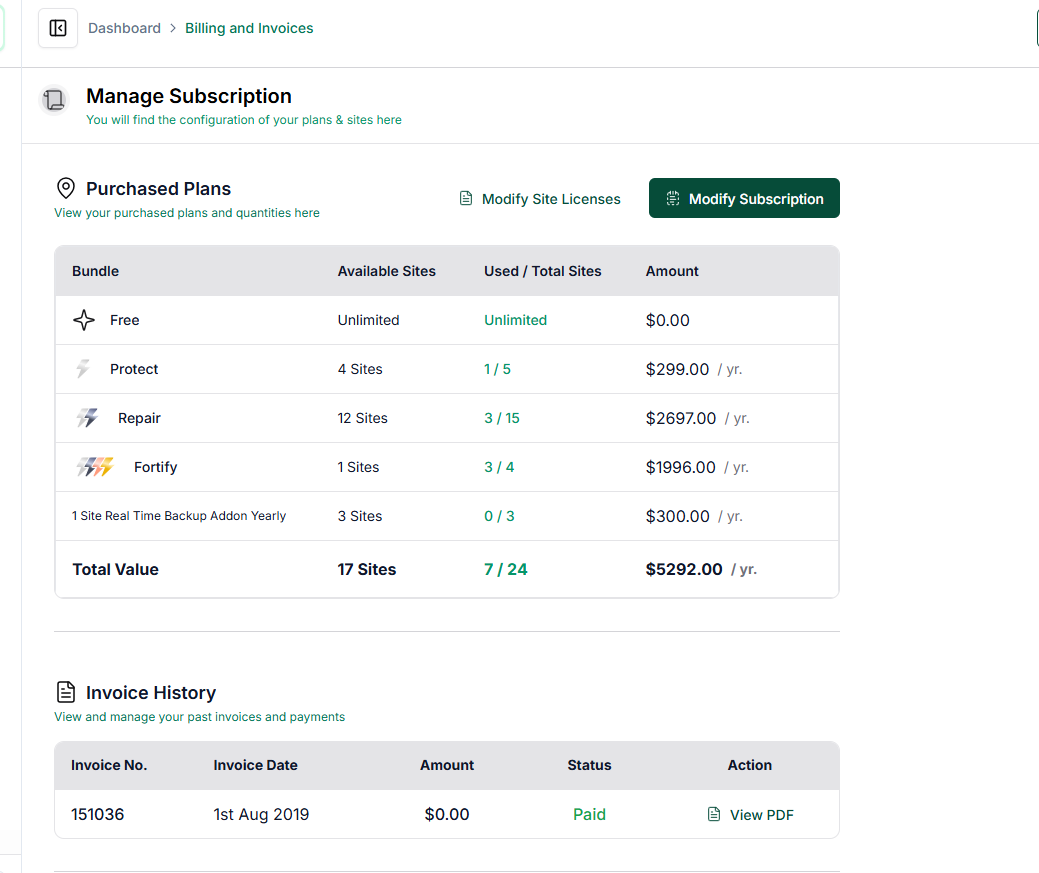
How do I see my active Subscription details & available licenses?
Step 1 of 2
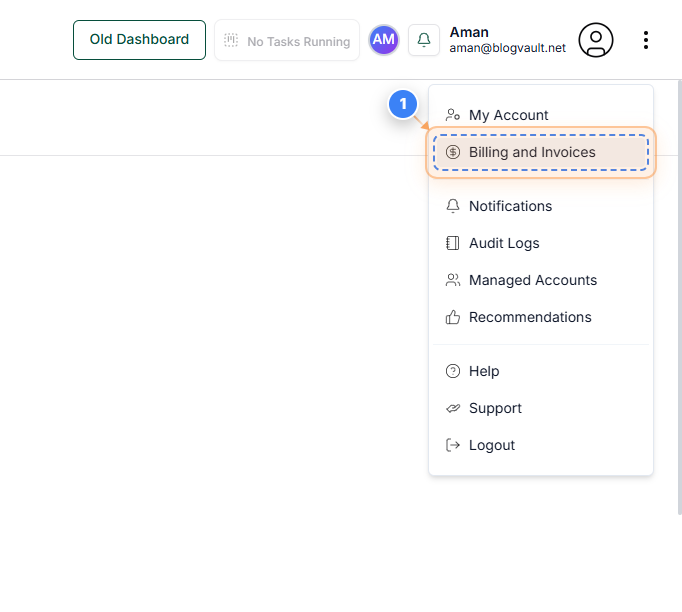
Open Billing and Invoices
Click the 'Billing and Invoices' link in the top-right menu to view and manage your subscription details, payment methods, and invoice history.
Note: This section helps you review your current plans, update billing information, and access past invoices.
Step 2 of 2
Review Subscription and Invoices
On the Billing and Invoices page, review your active plans, usage limits, and total yearly costs. You can also view invoice history, add or update payment methods, and configure billing addresses.
Note: Ensure all subscription details match your current usage. Use the 'View PDF' option in the Invoice History table to download individual invoices or add a payment method to continue your subscription.