How do I change what plan my website is using?
After you purchase a new license, it's not automatically applied to a website on your account, and you would need to apply it. This is done to give you flexibility to select which website gets what license:
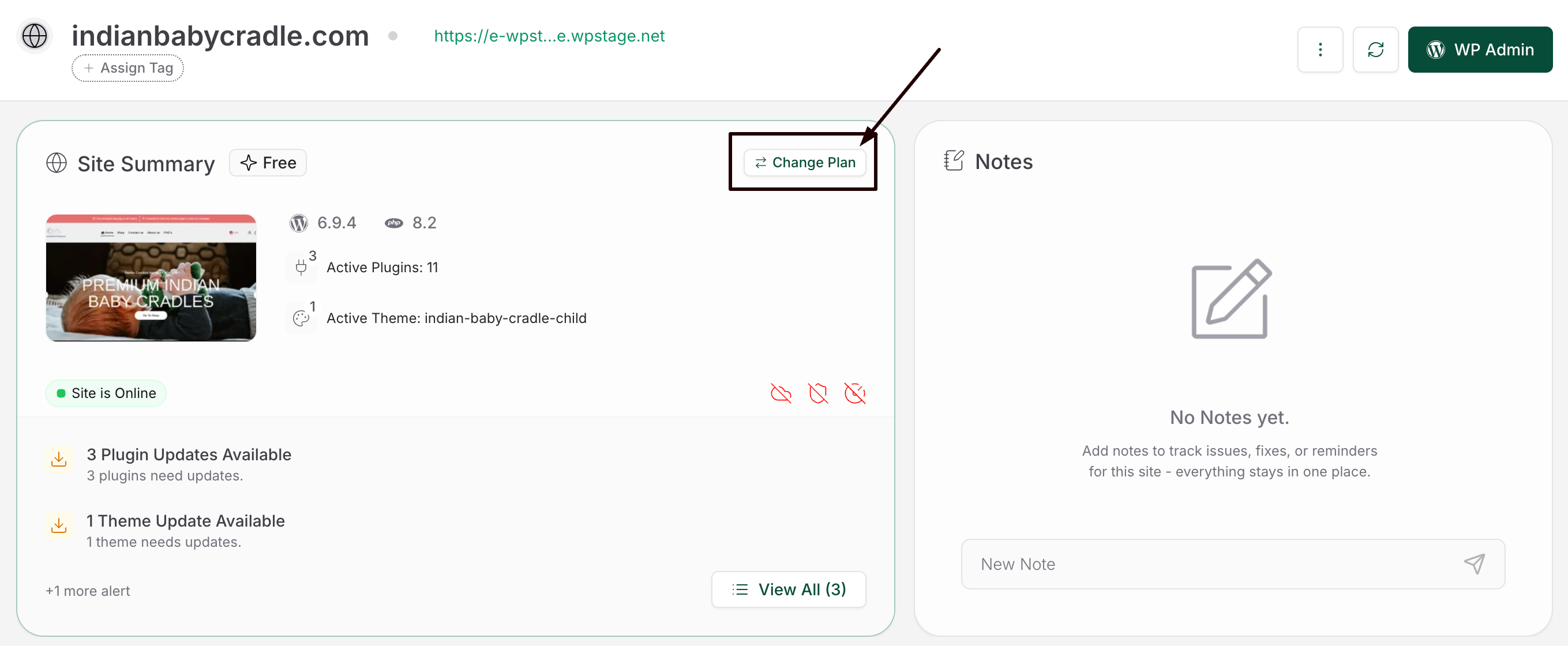
Step 1: After purchasing the license, open the website you want to apply the license to. Click on Modify License & that will open a page with all plans available to you:
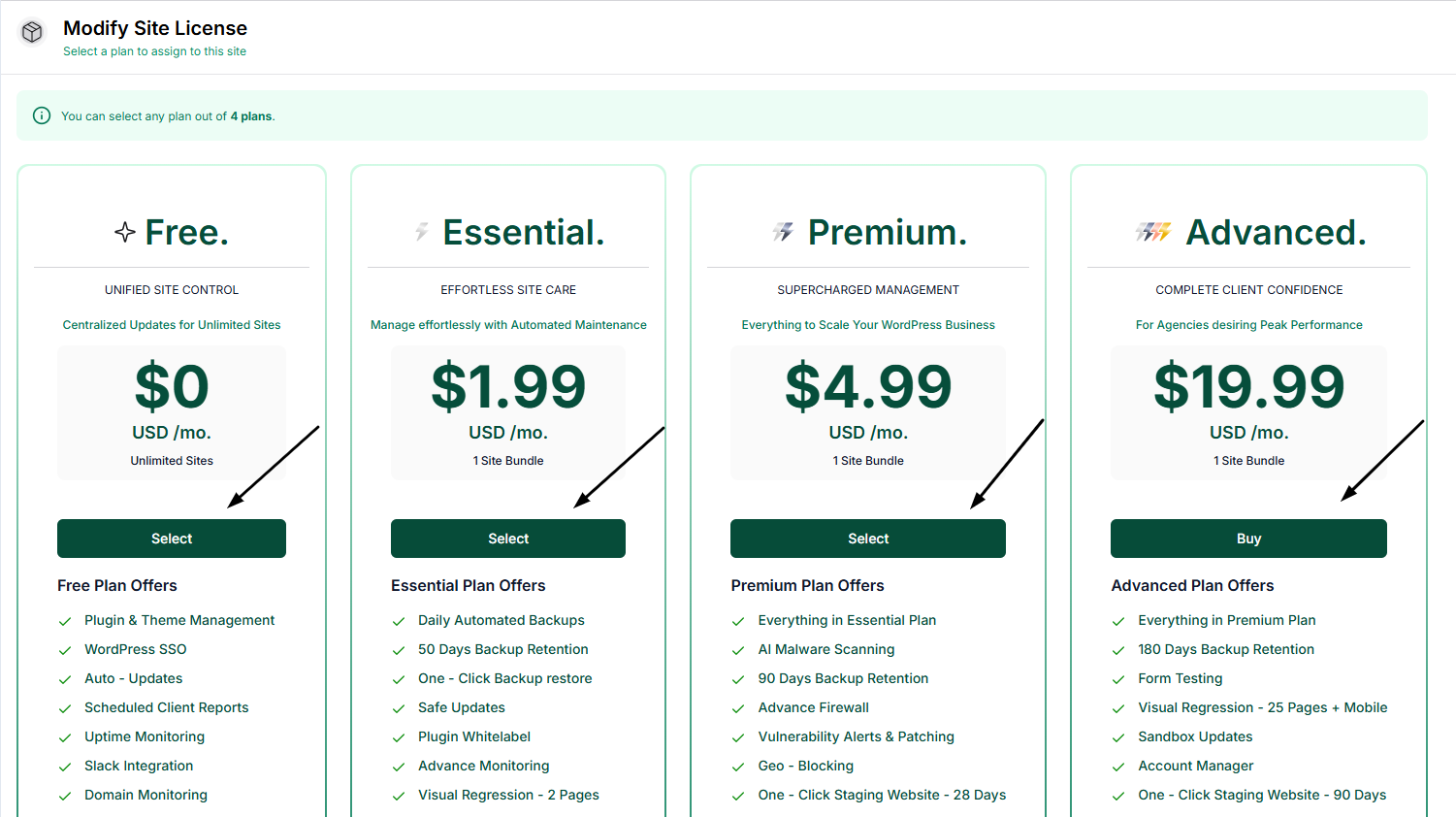
Step 2: Here, you can select the purchased License & click on Select. Doing this will apply that license to your website:
If a specific license is not purchased, you'll have the option to buy that license from this page.
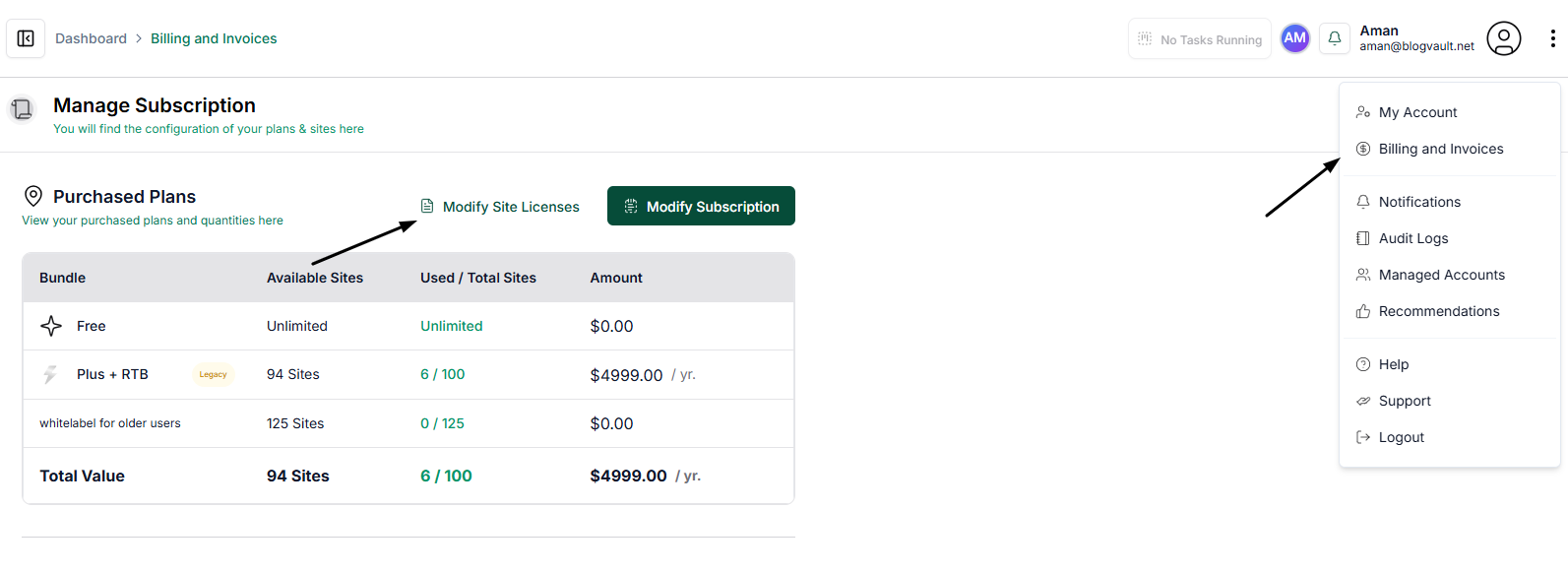
Alternatively, you can go to the Billings & Account Page and modify licenses in bulk across your account via the Modify Site Licenses option: