How Do I Pause or Resume Backups?
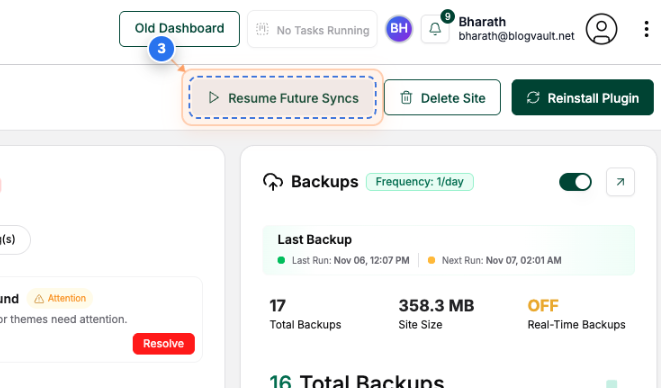
Step 1 of 3
Open Site Dashboard
Click on your site name in the Sites page to open its management dashboard.
Note: You can access all site-level actions from this dashboard, including managing sync preferences and viewing site details.
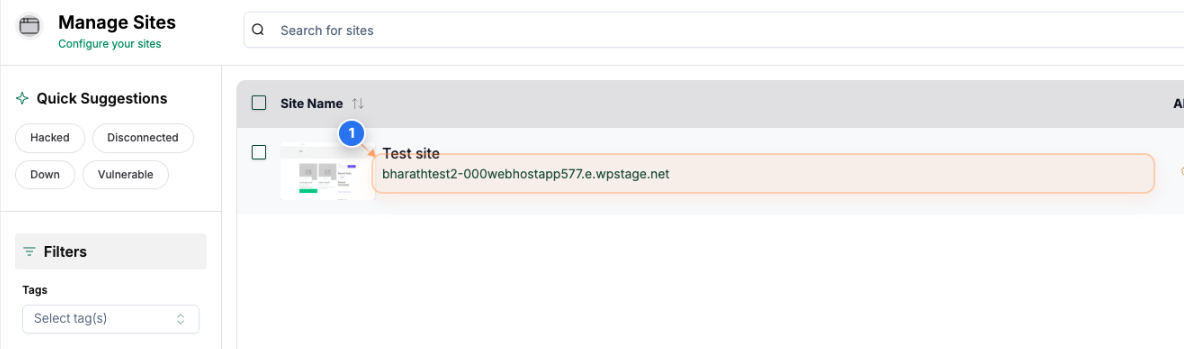
Step 2 of 3
Pause Future Sync
Click the 'Pause Future Syncs' button in the top-right area of the site dashboard to stop automatic synchronization for the site.
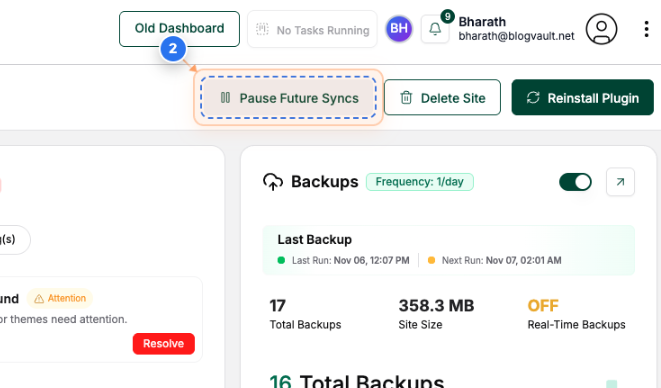
Step 3 of 3
Resume Future Sync
Click the 'Resume Future Syncs' button in the top-right area to restart automatic synchronization after it has been paused.