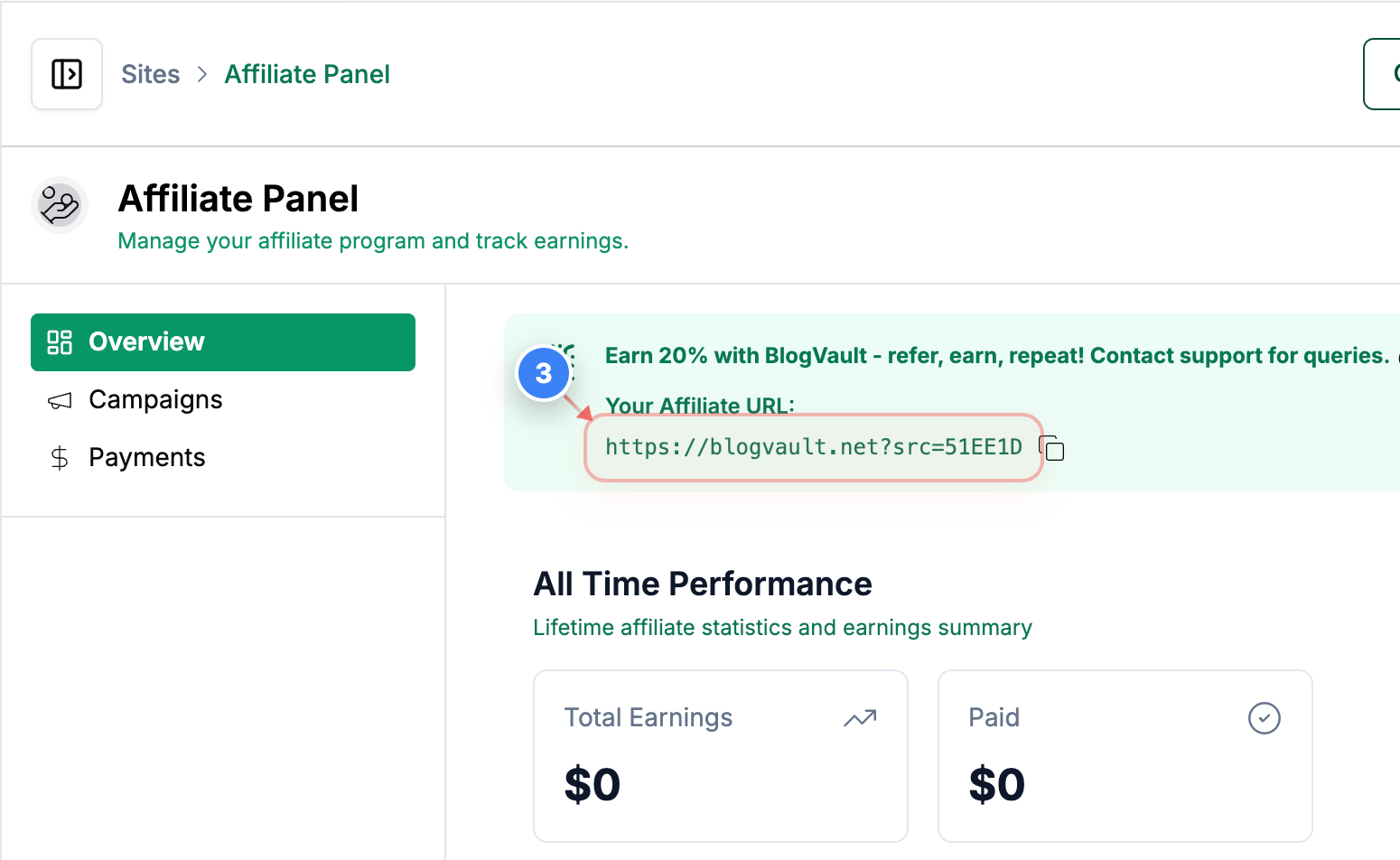
How do I get the affiliate URL or link?
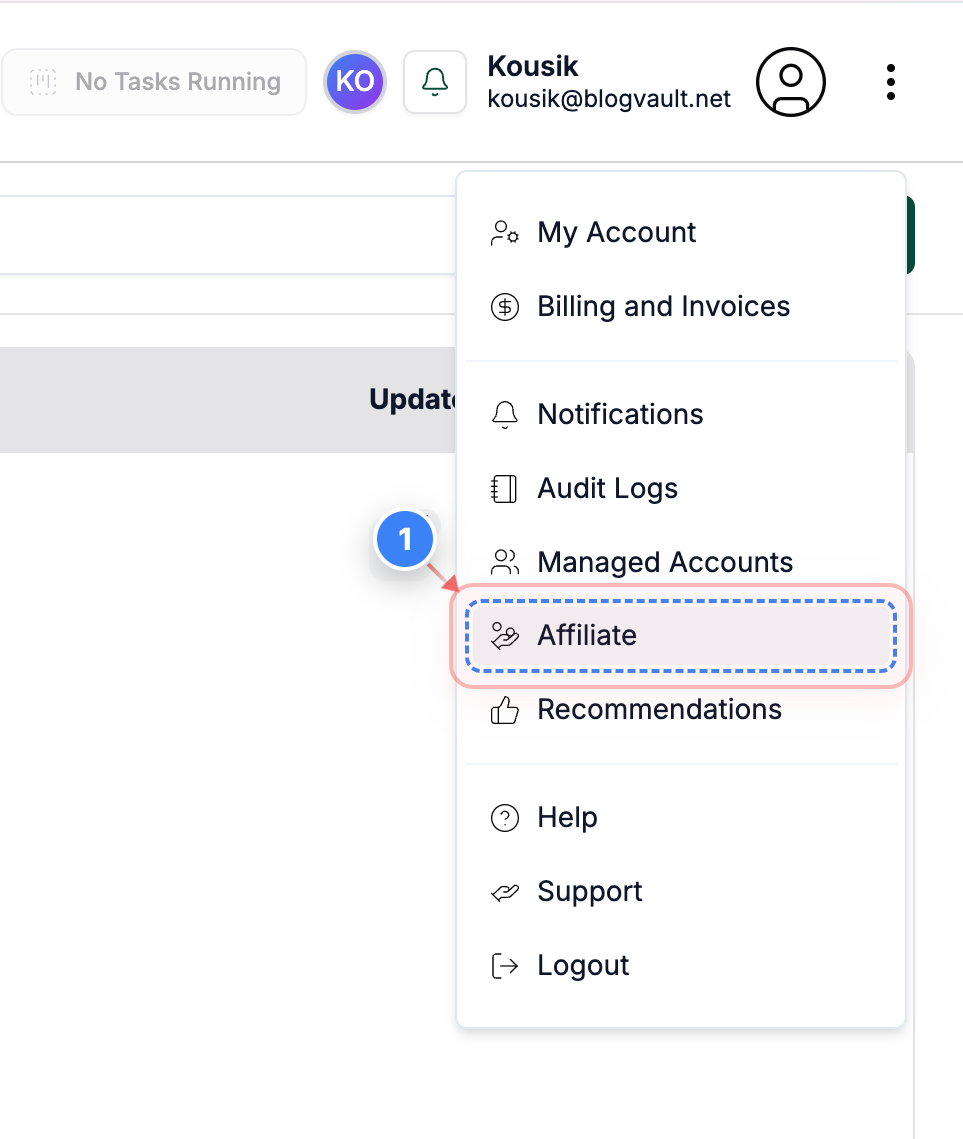
Step 1 of 3
Access Affiliate Section
Click on the 'Affiliate' from the menu in the top right corner of your dashboard to view and manage your affiliate options
Note: This section provides access to referral links and performance tracking
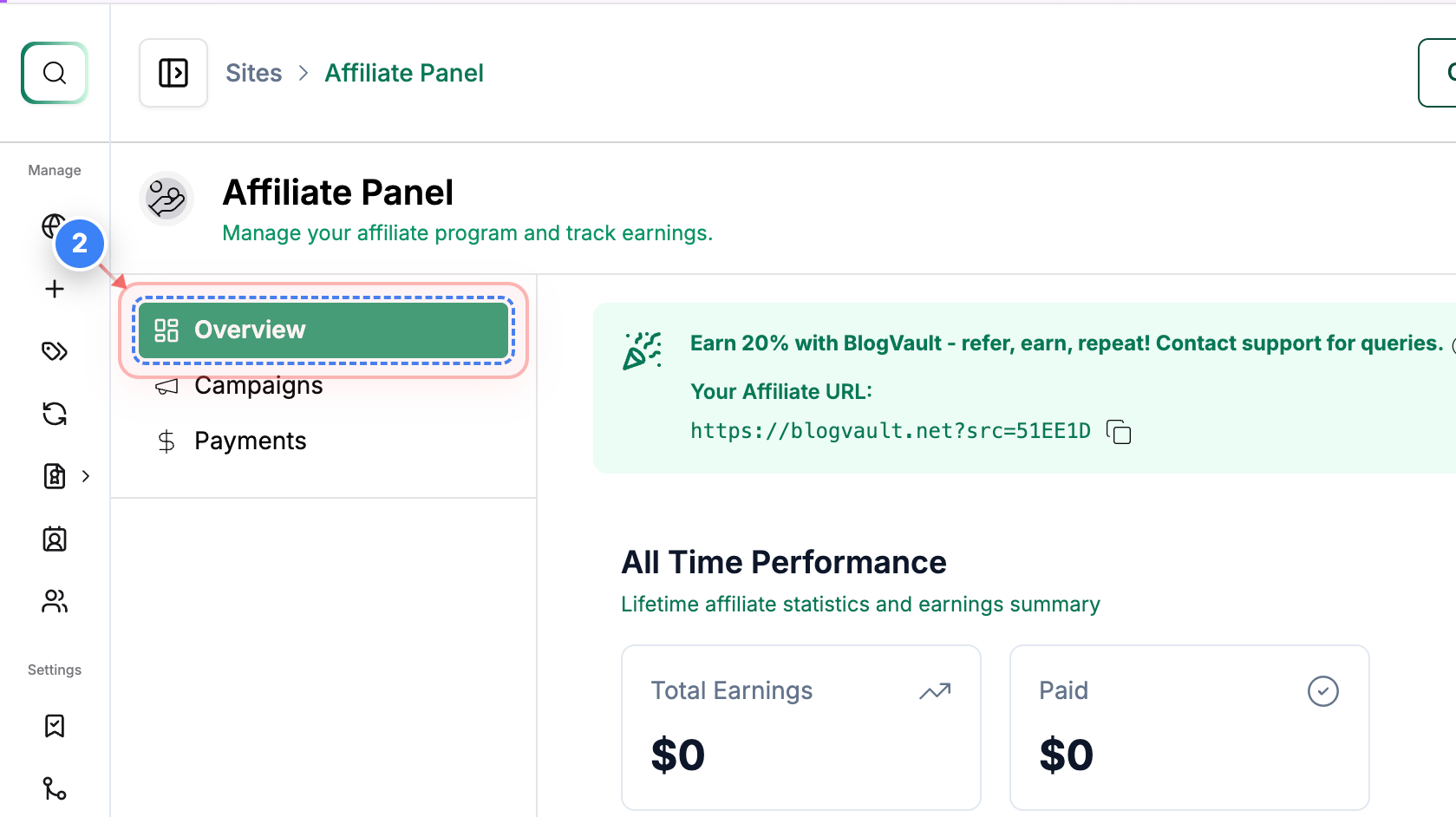
Step 2 of 3
Open Overview Tab
Click the 'Overview' button on the left side of the Affiliate page to see a summary of your affiliate campaigns and key metrics
Note: Use this tab to quickly monitor campaign performance and earnings
Step 3 of 3
Copy Affiliate URL
Click on your affiliate link on the Overview page to view and copy your unique referral URL
Note: You can share this link to earn referral commissions for new signups